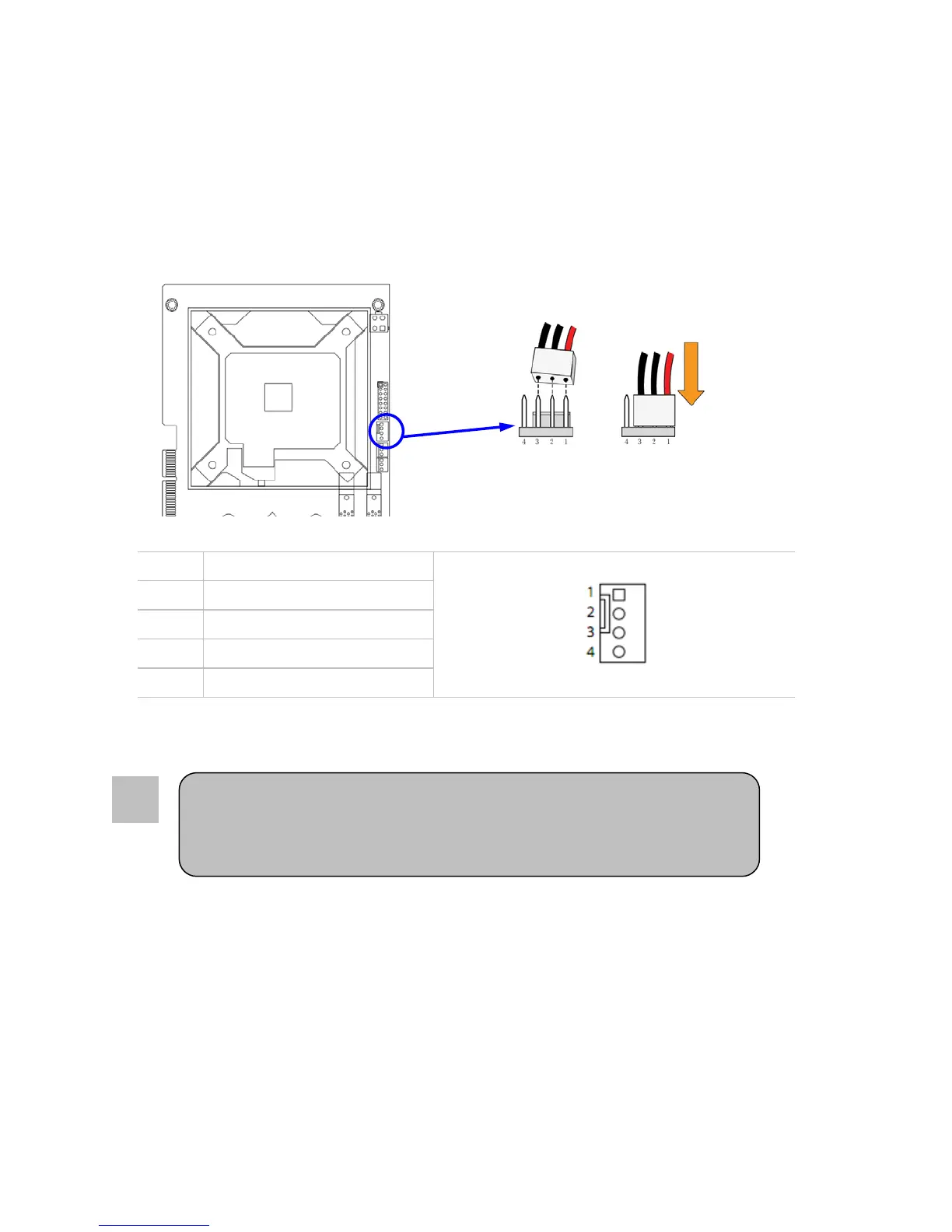
Installing FAN(s)
FAN Power Connector: CPUF1
This connector supports cooling fans of up to 350mA (4.2 Watts). 3 pin FANs will not be controllable
and will be on full time. Connect the fan’s plug to the board taking into consideration the polarity of
connector.
PIN ASSIGNMENT
1 GND
2 12V
3 Tachometer
4 PWM
Be sure that there is sufficient air circulation across the processor’s heat sink,
and CPU cooling FAN is working correctly; otherwise, it may cause the
processor and motherboard to overheat and damage. You may install an
auxiliary cooling FAN, if necessary.
8
20



 To Next Page