HOT KEY DESCRIPTION
F1
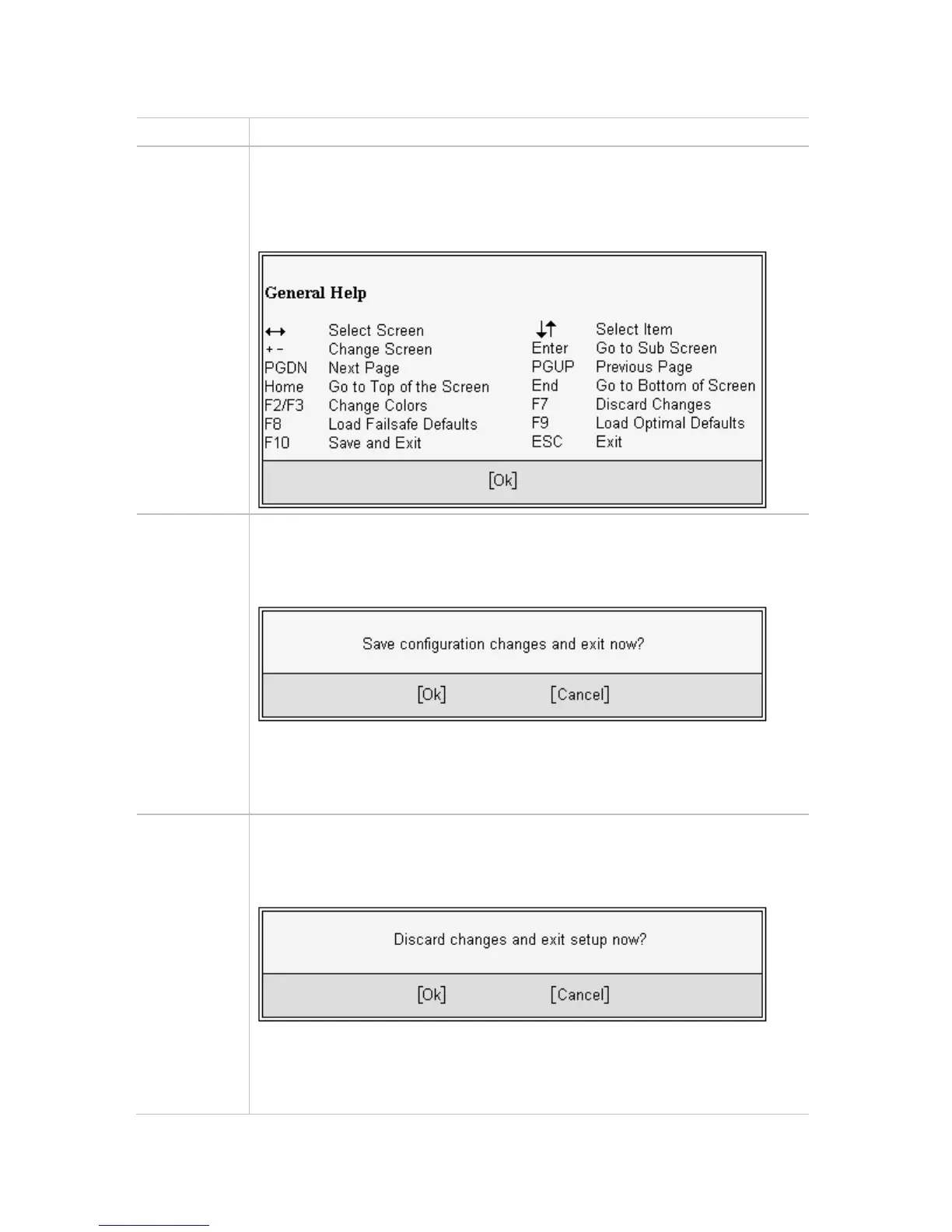
The <F1> key allows you to display the General Help screen.
Press the <F1> key to open the General Help screen.
F10
The <F10> key allows you to save any changes you have made and exit
Setup. Press the <F10> key to save your changes. The following screen will
appear:
Press the <Enter> key to save the configuration and exit. You can also use the
<Arrow> key to select Cancel and then press the <Enter> key to abort this
function and return to the previous screen.
ESC
The <Esc> key allows you to discard any changes you have made and exit the
Setup. Press the <Esc> key to exit the setup without saving your changes. The
following screen will appear:
Press the <Enter> key to discard changes and exit. You can also use the
<Arrow> key to select Cancel and then press the <Enter> key to abort this
function and return to the previous screen.
31



 To Next Page