7. YHC Configuration YHC 700
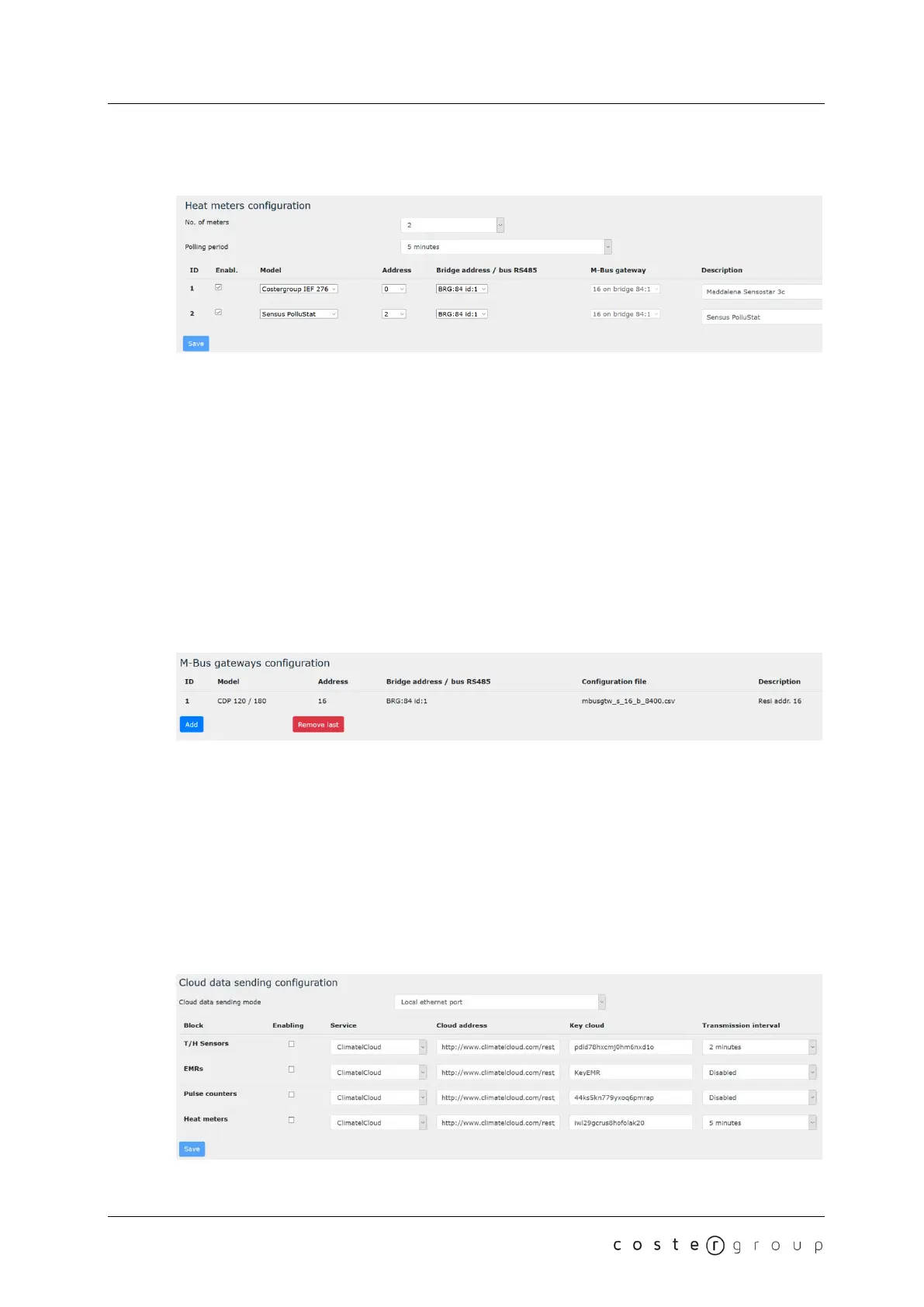
7.2.2.1.4 Heat meters configuration
In this section you can specify:
• The number of pulse counters managed (from 0 to 10). Default: 0
• The polling time (the rate at which YHC700 will read the heat meters data - see NOTE
in section 7.2.2.1.1). Default: disabled.
• For each heat meter you can specify:
o Whether it is enabled or not.
o The heat meter model (see section 2.4.2)
o The heat meter address (Modbus or M-BUS address, depending on the heat
meter type)
o The address of the BRG868 through which the heat meter is read, or the
option of the energy meter direct connection the RS485 bus. Default: bus 485
o For M-BUS heat meters, the address of the gateway through which the meter
is read. Default: 0
o A short description
7.2.2.2 M-BUS gateways configuration
In this page you can:
• Read the M-BUS gateways main info
• Remove the last M-BUS gateway of the list
• Add a new gateway, by specifying:
o The gateway model (see chapter 2.4.2)
o Its Modbus address
o The address of the BRG868 through which the gateway is accessed, or the
option of direct connection the RS485 bus. Default: bus 485
o A short description
and importing the gateway configuration file
7.2.2.3 Cloud configuration
This page allows you to specify whether you want to use YHC700 to send the monitoring
24


 To Next Page