EasyManua.ls Logo

Coxo C-SMART-1 Pro - Charging; Functional Check of the Apex Locator

Coxo C-SMART-1 Pro
27 pages
Print Icon
To Next Page IconTo Next Page
To Previous Page IconTo Previous Page
Loading...
7.5
Charging
C-SMART
-I
Pro
U11er
Manual
C-SMART-1
Pro User
Manual
8.4 Functional check of the apex
locator
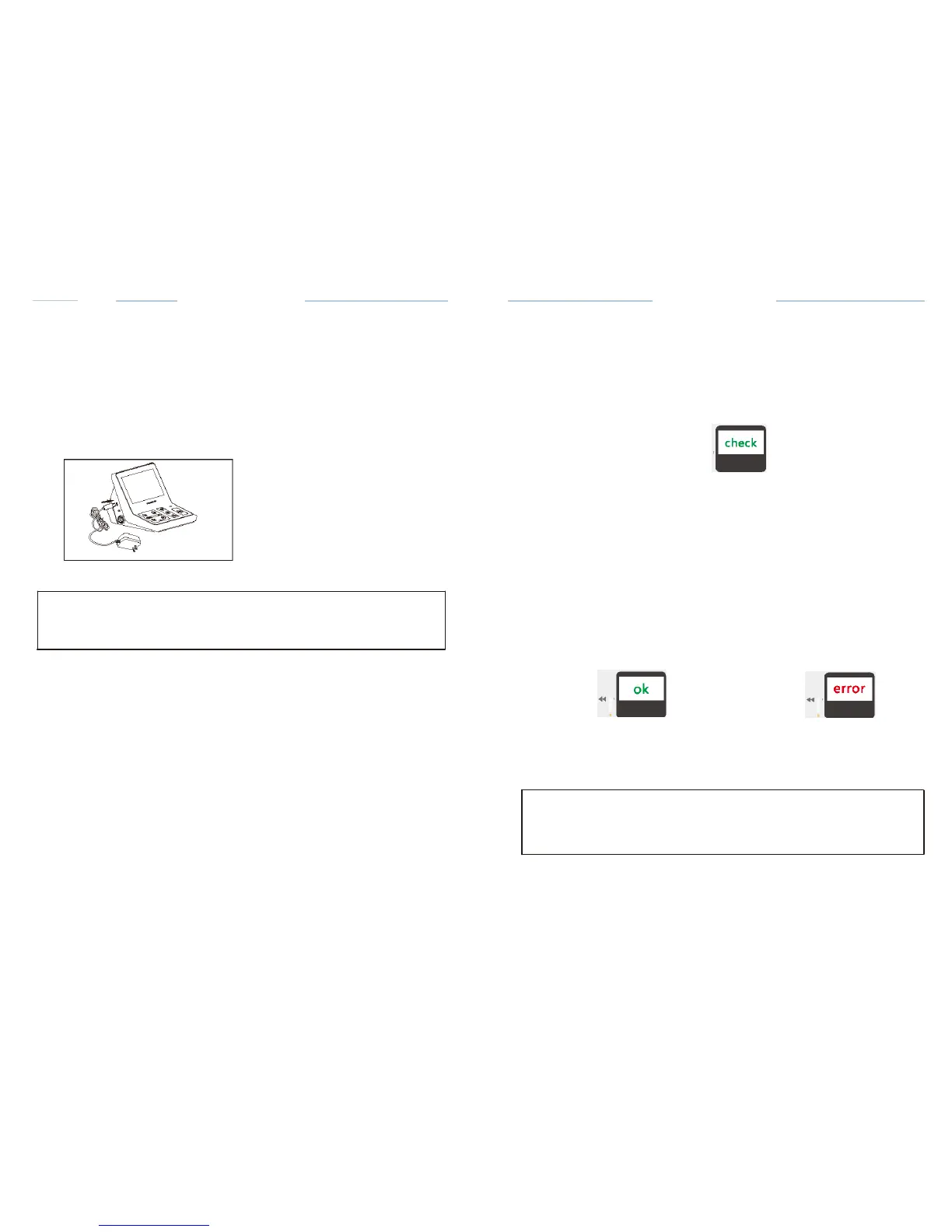
Charge the
battery according
to the
following steps:
Connect
the
charger's connector
to the
Control unit's charging socket
G)
(Fig.
12).
Connect
the plug of the
charger
to a power
outlet
It
takes about 4 hours to fully
charge
and about 5 hours for fully
discharged
batteries
(
E.g.,
the
device
is not used for a long
time).
When
charging,
the
charging
status will be
displayed
on the
screen.
(Fig.13)
7
-
0%
Fig.12
Fig.13
r:::T
NOTE
In case of
difficulty
in
inserting
the
connector,
the
polarity
may be
incorrect
Do not insert
it
by
force.
It is
recommended
to check the
performance
of the Apex
Locator
once a
week.
With the
built-in inspection
function,
the
special
test plug can
automatically
check the basic
functions
of the
instrument
in the first step, and then
inspect the
accessories
in the second step (Fig.
29).
e
0
0
0
Fig.29
Device
inspection
The
specific
steps to use the check
function
,
as
follows:
Disconnect
the test wire,
adapto
r
and motor
handpiece
from the
device.
·Device
CHECK will start
automatically if
the tester
inserted
in the
device and
the
results
will be shown on the
screen.
Display
shows OK (Fig. 30)
,Indicates
that the device
function
is
normal
.
·Display
shows ERROR (Fig_
31),Indicates
that there is a
fault
0
0
0
0
Fig.30 Device
is OK
Fig.31 Device
is
ERROR
.&.
CAUTION
ERROR
message indicates
that the
device
is not
operating properly.
Please
contact
your local
dealer
or
contact
the
factory directly
for assistance_
Disconnect
the tester from the
device
and
prepare
the test of the wire
with
accessories.
Ill