Torque
bar
C-SMART
-I
Pro
U11er Manual
C-SMART·IPro Uoer
Manual
8 Step by step
instructions
When the motor handpiece starts and its load reaches approximately half
of
the preset torque limit value, the torque bar display••••• ,when the
load
approaches the torque limit value, the torque bar displaY•••••
II
.
r:::.7'
NOTE
This function is only available in continuous rotary file
system.
Working length
determination
o
In M3 mode,As soon as the file makes contact with the root
canal,the length
measurement is started. During the apex area, with further progression
of
the file in the root canal, the numerical value on the graphical scale
changes.
The unit emits
audible.
o When the file tip reaches the DR'S CHOICE apex
position,it
indicates
that
the apex is reached. The motor
automatically
reverses or stops
depending
on the selected auto reverse
mode.
8.1
Language,LCD Paneland Operation Panel
8.1.1
Switch-on
and
Switch-off
the
Unit
o Hold down the POWER
button@
(Fig. 1)for more than 2
seconds.
A welcome screen is
displayed.Then,
the display will return to the
last
mode before switching the device
off.
o Press the POWER button again to turn off the
power.
r:::.7'
NOTE
If 5 minutes pass without operation, the power turns off
automatically.
8.1.2
Language Select
@I
SETUP
&cAUTION
Do not forget to connect the lip clip to the patient prior to
measurement.
Occasionally, the graphical scale will make a sudden drop as soon as
the
file is inserted into the root canal, but it will return to normal state as the file
is advanced down towards the
apex.
8.3.3.9 Functional check of the apex
locator
It is recommended to check the performance
ofth
e
Apex Locator once
a
week. the detailed check methods, see Chapter 8.4
.
A
..
o:t
d
'"-"
1
'"'
"
'"
IR
!
AIIIO-
ruMtMi
e
;;
:
fg
:
ht
:
d
E
..
.,-ttr n&
RKJ .....
u•
El
!!
E
iD
...... IMfi"l
B
English
•
ON
•
ON
•
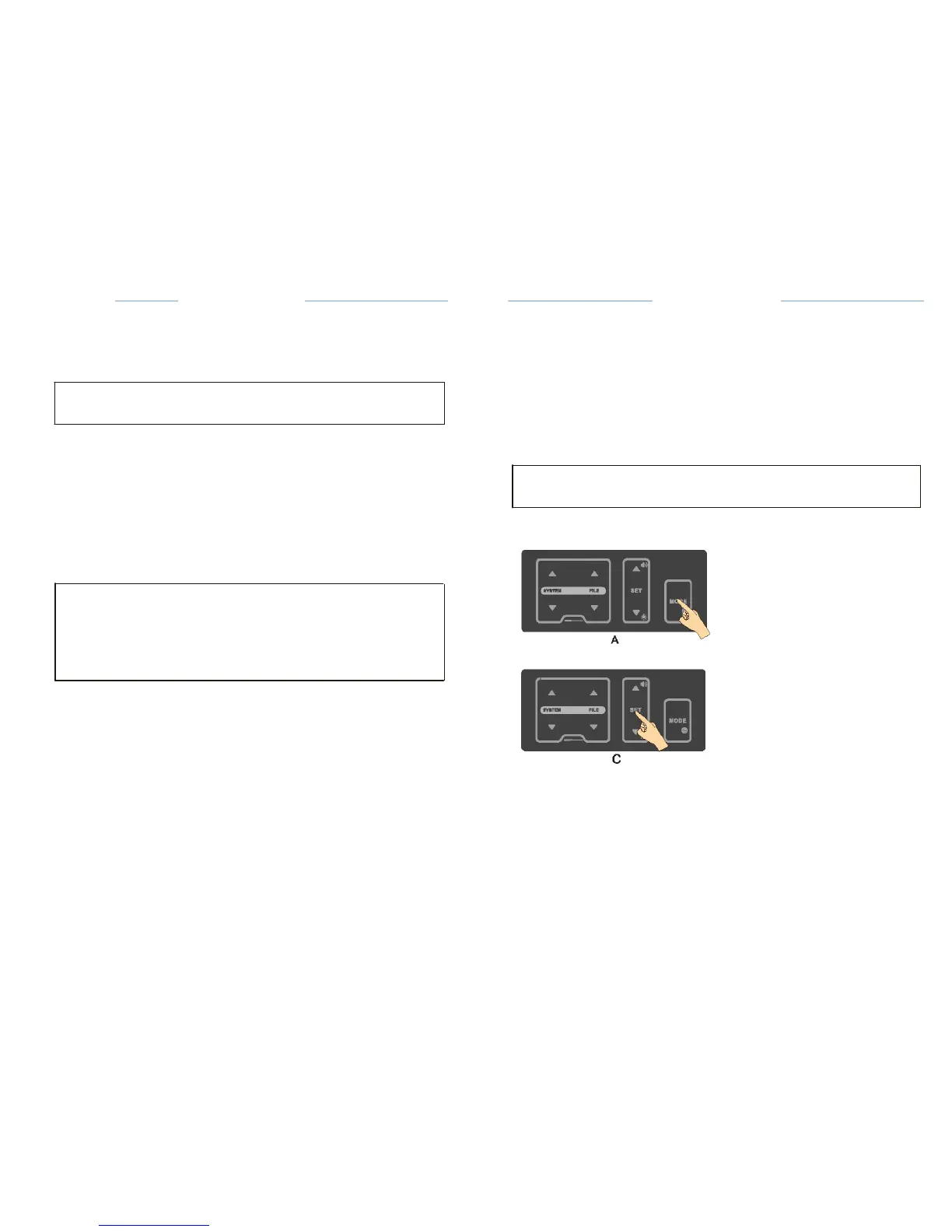
o Press the MODE key for 2 seconds (A) to enter setting interface
(
B
)
;
o Press the SET key to select the desired language
(C);
o
The change will be saved automatically. Press any key other than SET and
up or down key to exit the setting, or exit the setting
automatically
after
3
seconds.
m


 To Next Page