29
UNLCDHS Programming – Output Ch. 2
Advance Parameters for Dimming models ‘-DD/SR’ and ‘-AD’ and their variants only
Parameter Default Range / Option Description
O Value 0 0 – 99 Dimmed output level when lights manually switched o or aer detector times out.
Max Value 99 0 – 99 Maximum dimming output level.
Min Value 1 0 – 99 Minimum dimming output level.
Memorise (V2)
Switch memorise
(V3)
No Yes / No If set to Yes, the last manually set output level will be memorised and used as the
switch ON level.
Burn-in Hours 0 1 – 999 hours
(0 = disabled)
Determines how long the output will be at 100% so that new lamps burn-in. The
burn-in time is not aected by power supply interruptions.
Speed (On) 40 0 – 99 seconds Determines the dimming response speed during the set up time upon power ON.
Measured in 0.1 sec intervals.
If set to “0” will disable dimming for Set Seconds below, used if ttings are required to
warm up before dimming.
Speed (Setup) 5 0 – 99 Determines how long the dimming response set-up period lasts upon power-up or
on setting change. This enables a faster set up time.
Set Seconds 120 0 – 999 seconds Sets the dimming response speed aer the setup time has nished.
Measured in 0.1 sec intervals (i.e. a value of 40 means 4 seconds).
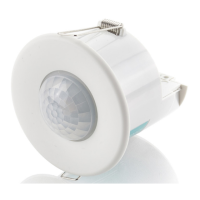
EBDHS High Bay
models only
– – Submenu for conguring high-bay detectors.
PIR 1-5
Switches each of the 5 sensors within the detector on or o individually.
Default = On, Option = On / O
Verify Mode
Requires at least 2 sensors within the detector to detect movement before
triggering the lights.
Default = Yes, Option = Yes / No
Note: Certain parameter functions are only available in specic versions of the detectors and these are indicated under the aected parameter headings
within the brackets e.g. LUX Learn Level (V3).


 To Next Page