6
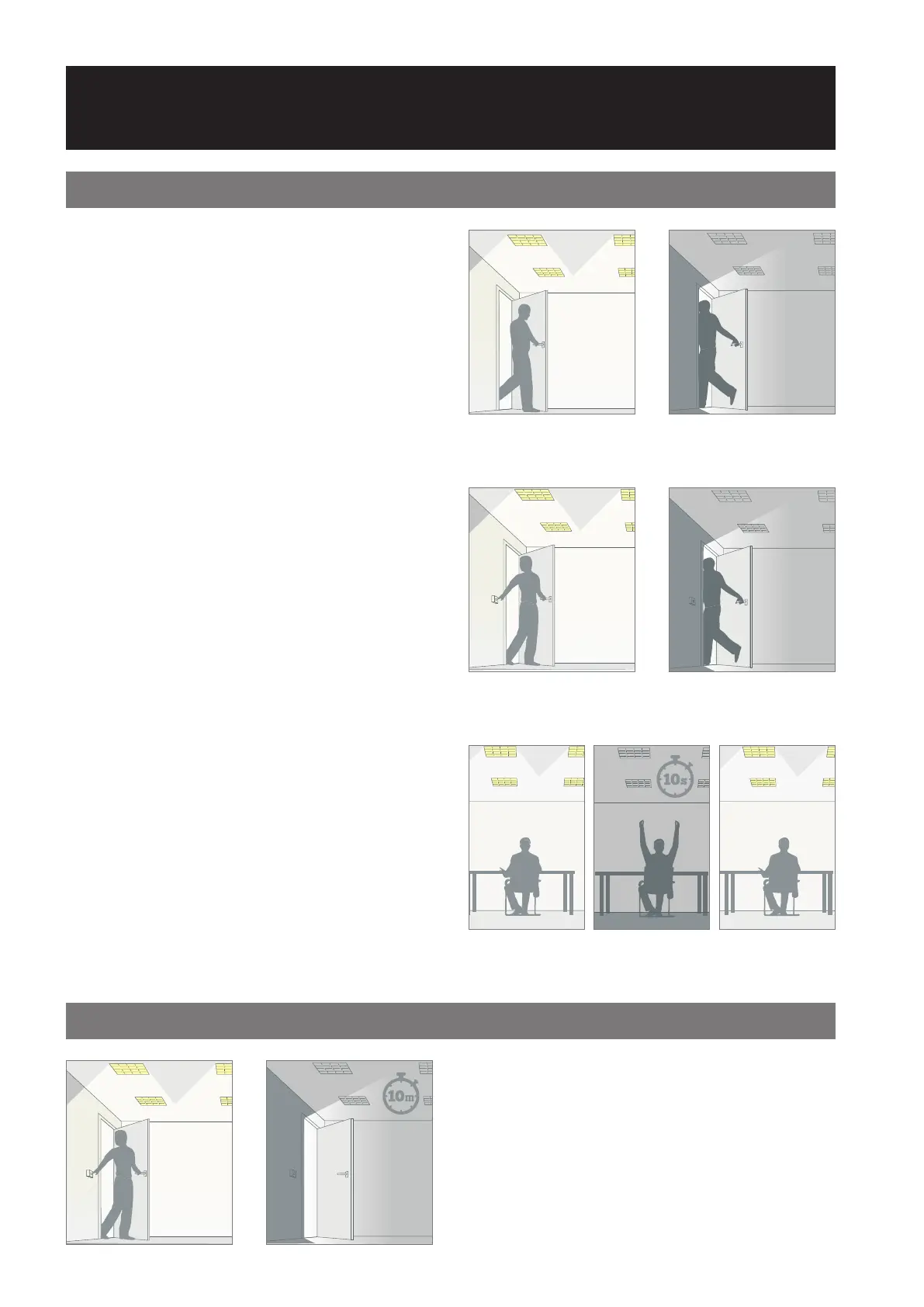
Presence Detection: Detectors will switch on lighting automatically
when a person enters the room, and switches o lighting automatically
when no movement is detected.
Absence Recovery: Aer an occupancy time out period has elapsed
in absence mode, the unit temporarily enters a presence mode for 10
seconds allowing the occupants movement to bring the lights back on.
Absence Detection: Upon entering the room the person switches on
the light as normal, but on leaving the detector switches o the lighting
automatically. Lights can also be switched o manually.
Manual Timeout (via switch): This ensures that if a switch
is activated and no movement is detected the lights will
switch o aer 10 minutes, minimising unnecessary lit space.
The Detection Mode for both output Channels 1 and 2 can
be set to behave in Presence or Absence mode:
Presence
• When movement is detected the load will automatically
turn on. When the area is no longer occupied the load will
automatically switch o aer an adjustable time period.
Absence
• The load is manually switched on. When the area is no
longer occupied the load will automatically switch o
aer the adjustable time period has elapsed.
In either case, sensitivity to movement of the PIR sensor
can be adjusted using the Sensitivity parameter.
HINT: To assist in setting the sensitivity, turn on the Walk
Test LED which will ash red when movement is detected.
The choice between presence and absence detection
for dierent spaces can make a big dierence in user-
friendliness and the amount of energy saved.
Technology Guide
Presence & Absence Explained
Detection Mode
Manual Timeout


 To Next Page