9
UHS5 Programming
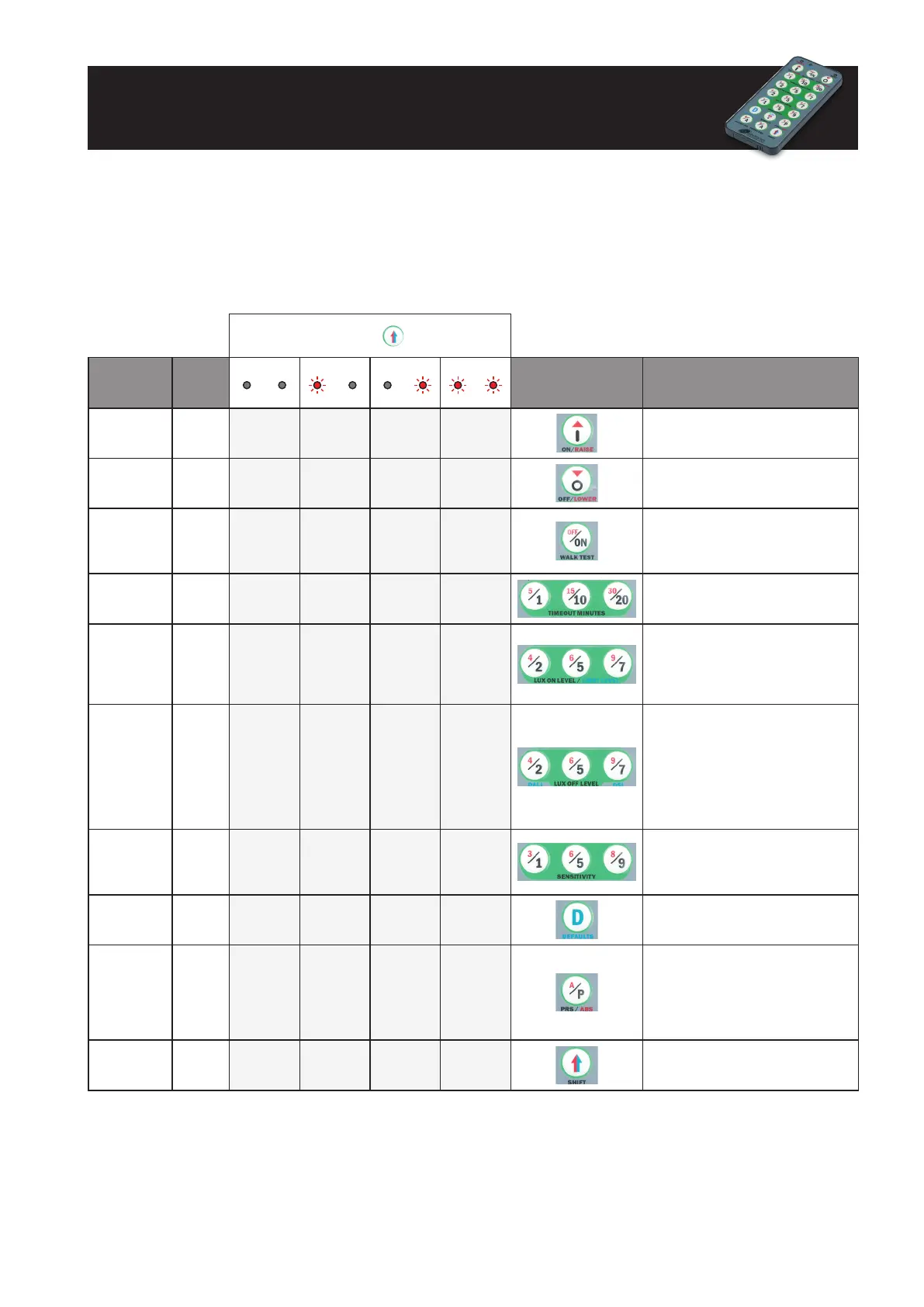
For all models including ‘-PRM’ and ‘-PRM-2CH’
Number of shi
presses
Parameter
Name
Default
Value
0
SHIFT 1 SHIFT 2
1
SHIFT 1 SHIFT 2
2
SHIFT 1 SHIFT 2
3
SHIFT 1 SHIFT 2
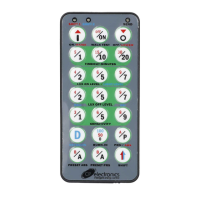
UHS5 Handset
Graphics
Description
On On
Cancel
overide on
Turn lights on
O O
Cancel
overide o
Turn lights o
Walk test O On O
When set to On this causes a red LED
to ash on the sensor when it detects
movement. Use this feature to check for
adequate sensitivity levels.
Time Out
(Time
adjustment)
20 mins
1, 10 & 20
minutes
5, 15 & 30
minutes
10 seconds
(5/1 button)
Once the detector is turned on, this
value sets how long the lights will stay
on once movement has ceased.
LUX on level
(Switch level
on)
9 2, 5 & 7 4, 6 & 9
LUX level setting to prevent the
luminaires from being switched on if the
ambient light level is sucient (adjustable
between 1 and 9). The luminaires will
always be switched on at level 9.
LUX o level
(Switch level
o)
9 2, 5 & 7 4, 6 & 9
LUX level setting switches the luminaires
o during occupancy if the ambient light
level goes above the setting (adjustable
between 1 and 9). Level 9 will always
keep the lights on. This setting can be
used for “window row switching”. Note:
the LUX O Level value must always be
greater than the LUX On Level value.
Sensitivity 9 1, 5 & 9 3, 6 & 8
Sensitivity level for detecting
movement.
1 = low sensitivity
9 = high sensitivity
Defaults D
Returns the unit to the default settings.
Presence/
Absence
Presence Presence Absence
Presence mode allows the output to
turn on when movement is detected
and o when movement ceases.
Absence mode allows the output to turn
o when movement ceases, but must be
manually turned on rst.
Shi
Use this button to select the settings in
red and blue signied by the ‘Shi 1’ and
‘Shi 2’ LEDs
For most basic programming operations the UHS5 handset can be used and the following procedures are based on using this device.
Independent channel control for ‘-PRM-2CH’ is only partially supported and so it is advised to use the UNLCDHS handset instead.
Point the handset at the sensor and send the required programming commands to the unit as shown below. Valid commands
will be indicated by a red LED ash. See page 1 for details of other LED responses.
Note: other functions on the UHS5 which are not shown below are not applicable to this product.


 To Next Page