CRADLEPOINT IBR650 | USER MANUAL Firmware ver. 3.3.0
© 2011 CRADLEPOINT, INC. PLEASE VISIT HTTP://KNOWLEDGEBASE.CRADLEPOINT.COM/ FOR MORE HELP AND RESOURCES PAGE 106
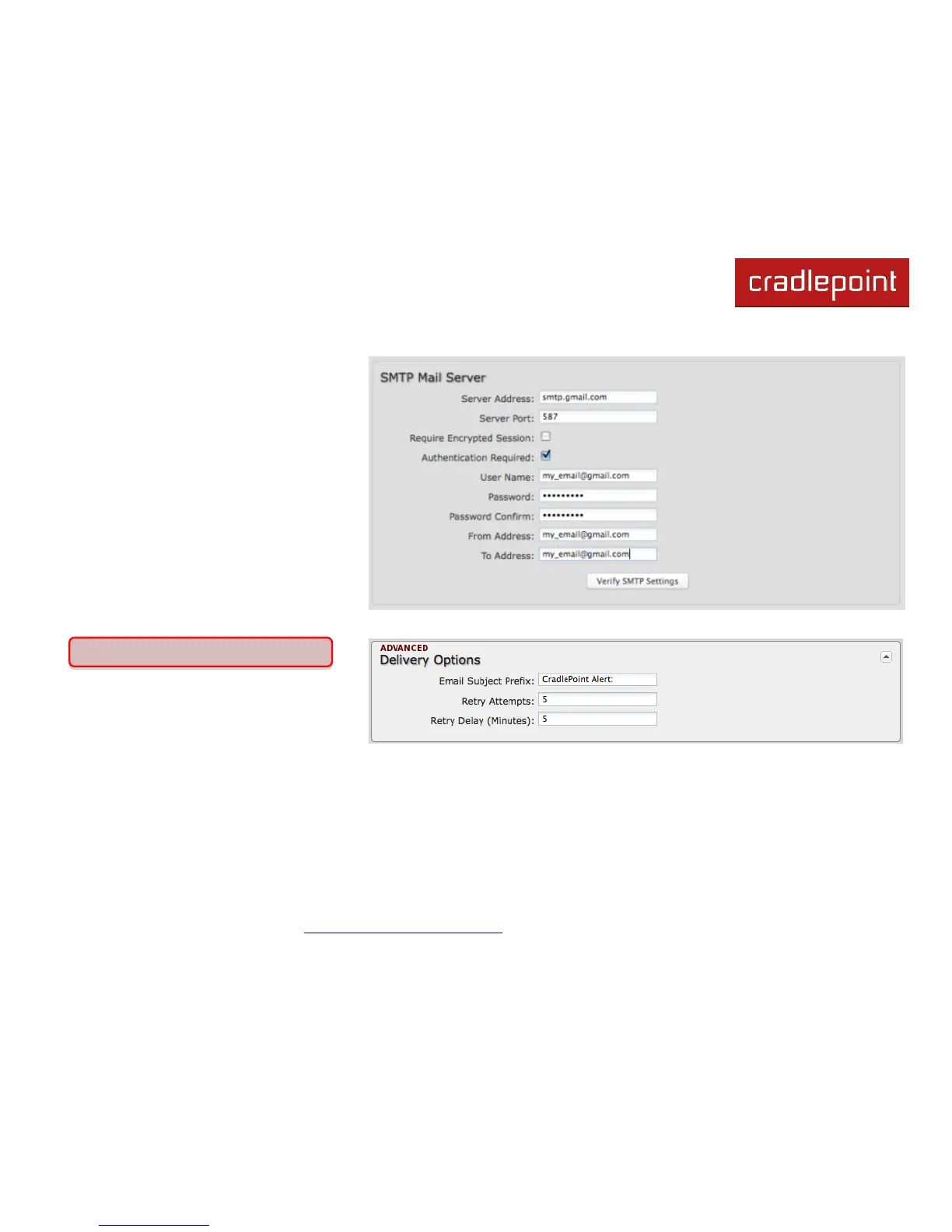
Server Address: smtp.gmail.com
Server Port: 587 (for TLS, or
Transport Layer Security port; the
IBR650 does not support SSL).
Authentication Required: For
Gmail, mark this checkbox.
User Name: Your full email
address
Password: Your Gmail password
From Address: Your email
address
To Address: Your email address
Once you have filled in the information for
the SMTP server, click on the ―Verify
SMTP Settings‖ button. You should receive a test email at your account.
Advanced: Delivery Options
Email Subject Prefix: This optional string
is prefixed to the alert subject. It can be
customized to help you identify alerts
from specific routers.
Retry Attempts: The number of attempts made to send an alert to the mail server. After the attempts are exhausted, the
alert is discarded.
Retry Delay: The delay between retry attempts.















 To Next Page