CRADLEPOINT IBR650 | USER MANUAL Firmware ver. 3.3.0
© 2011 CRADLEPOINT, INC. PLEASE VISIT HTTP://KNOWLEDGEBASE.CRADLEPOINT.COM/ FOR MORE HELP AND RESOURCES PAGE 6
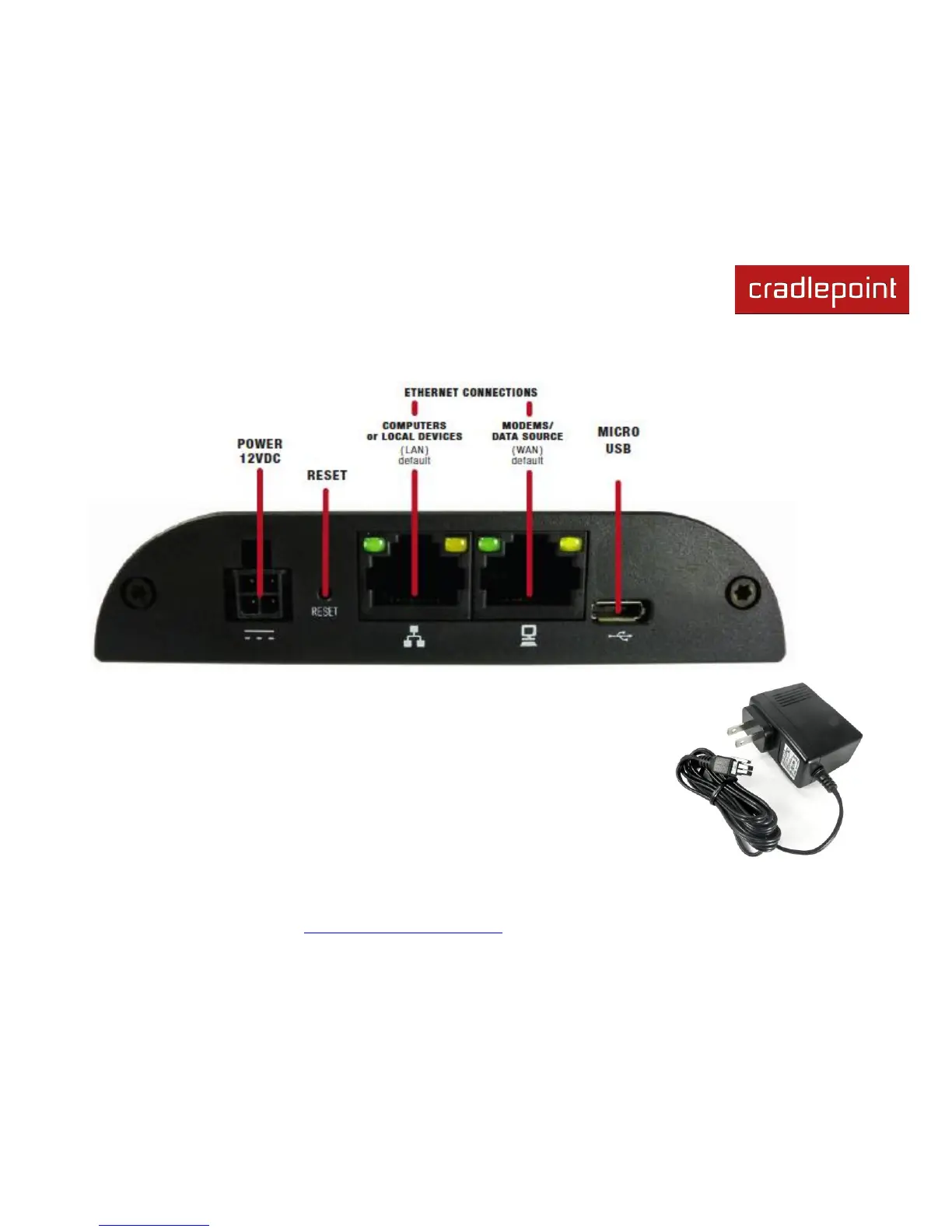
2.1 Ports, LEDs, and Switches
Power 12VDC: The power connector includes two pins for power and two pins for GPIO
(General Purpose Input/Output) functionality. The included power adapter, however, only
connects to the power pins. You will need a separate adapter for GPIO functionality.
Reset: You can return your router to factory default settings by pressing and holding the
Reset button. This button is recessed, so it requires a pointed object such as a paper clip
to press. Press and hold for 10 seconds to initiate reset.















 To Next Page