CRADLEPOINT IBR650 | USER MANUAL Firmware ver. 3.3.0
© 2011 CRADLEPOINT, INC. PLEASE VISIT HTTP://KNOWLEDGEBASE.CRADLEPOINT.COM/ FOR MORE HELP AND RESOURCES PAGE 14
3.1.2 Accessing the Administration Pages
For most users the IBR650 Router can be used
immediately without any special configuration
changes. Simply connect a computer or similar
device to the router‘s Ethernet LAN port with an
Ethernet cable. If you would like to change your
administration password or configure any of the
advanced features of the IBR650, you will need to
log in to the administration pages:
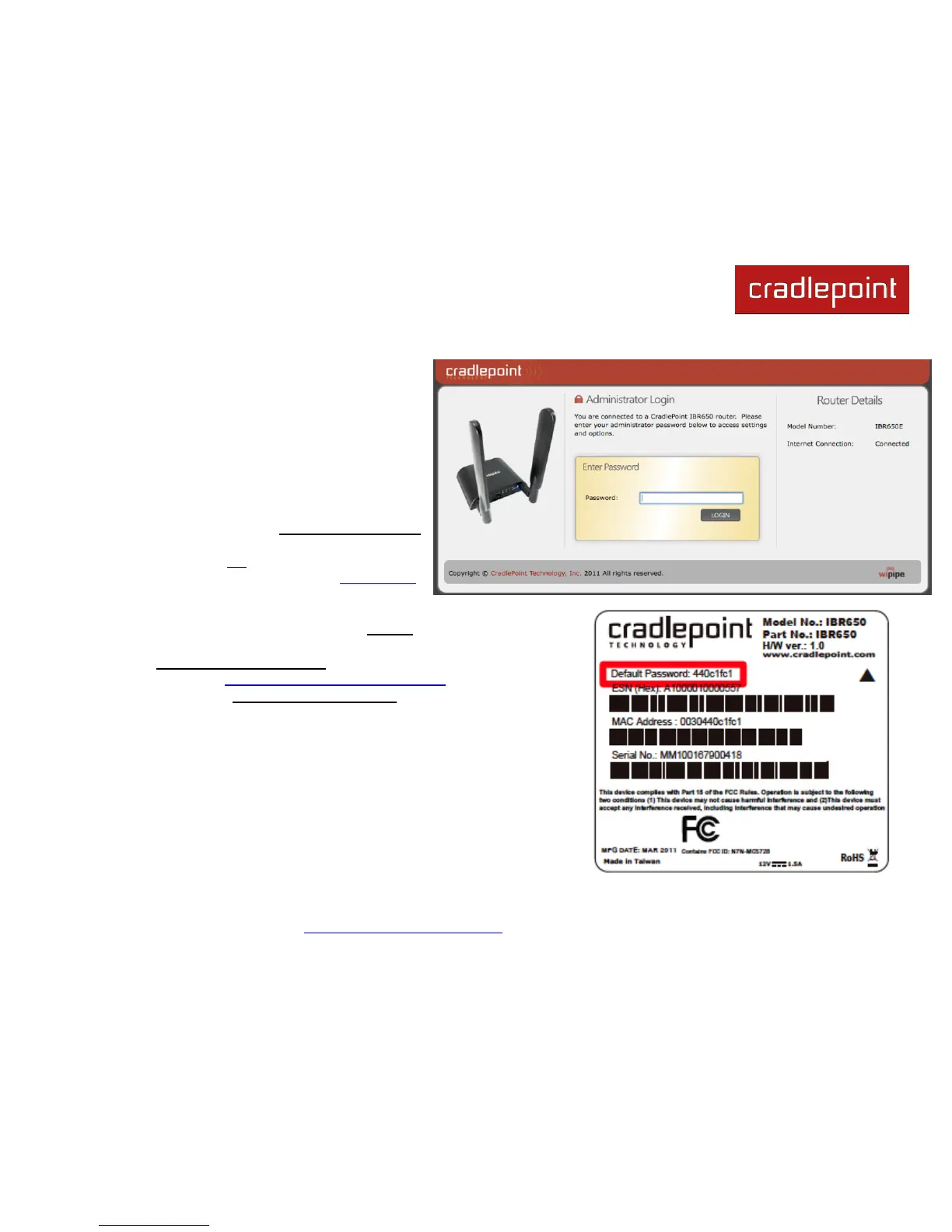
Access your router‘s Administrator Login
screen by opening a web browser window
and typing ―cp/‖ (your router‘s default
hostname) or the IP address ―192.168.0.1‖
into the address bar.
Enter your Default Password. This password can be found on the
bottom of the IBR650. Then click the LOGIN button.
When you log in for the first time, you will be automatically directed to
the First Time Setup Wizard. Follow the instructions given with the
Wizard or see Getting Started – First Time Setup for more information
about using the First Time Setup Wizard.















 To Next Page