CRADLEPOINT MBR1200B| USER MANUAL Firmware ver. 3.6.0
© 2012 CRADLEPOINT, INC. PLEASE VISIT HTTP://KNOWLEDGEBASE.CRADLEPOINT.COM/ FOR MORE HELP AND RESOURCES PAGE 31
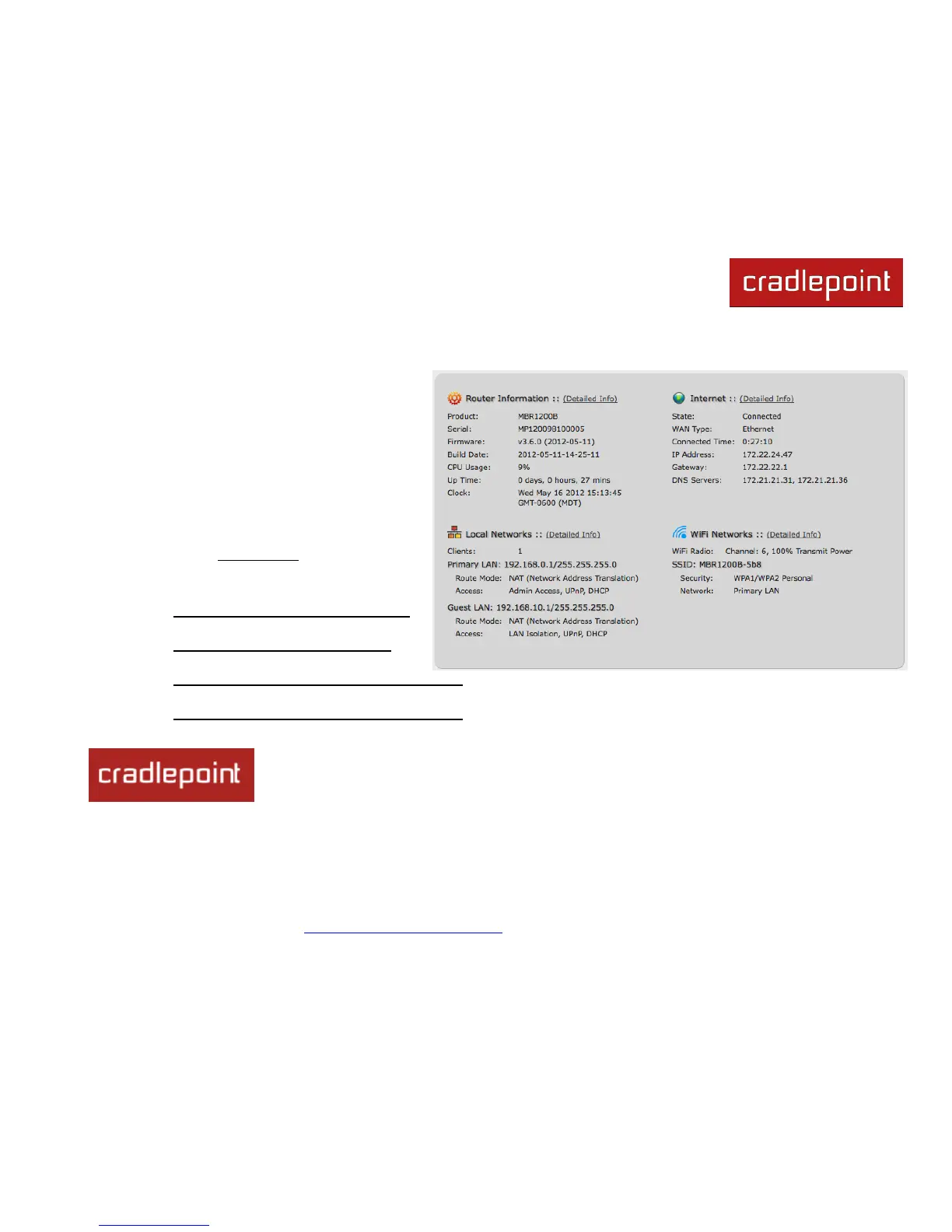
5.2 Dashboard
The Dashboard shows fundamental information
about your router, divided into the following basic
categories:
Router Information
Internet
Local Networks
WiFi Networks
For more in-depth information and/or configuration
options, click on the Detailed Info link beside the
category title. For each category, this links to:
Router Information
o System Settings → Administration
Internet
o Internet → Connection Manager
Local Networks
o Network Settings → WiFi / Local Networks
WiFi Networks
o Network Settings → WiFi / Local Networks
After the initial setup of the router, every time you log in you will automatically be directed to
this Dashboard. Also, you can click on the CradlePoint logo in the upper left-hand corner to
return to the Dashboard from any page.














 To Next Page