9
ASSEMBLY
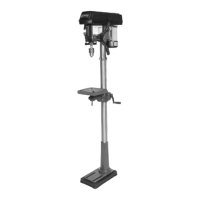
BASE TO COLUMN
Select the base and the drill press column
from the loose parts. Select the four M10 -
1.5 x 25 hex bolts from the parts bag. Align
the holes of the post flange to the threaded
holes in the base. Insert the bolts and
tighten securely.
TABLE TO COLUMN
Remove the ring (3) by loosening the set-
screw (4).
Remove the rack (5) from the column.
Check that the worm gear (8) is properly
seated inside the table bracket (7) and it
comes in contact with the gears. The
handle shaft (9) should extend out of the
housing by about 1”.
Insert the rack (5) into the geared groove
(6) of the table bracket (7). The table
bracket should sit at the center section of
the rack.
Slip the table bracket and rack (1) carefully
onto the column (2). Insert the bottom of the
rack into the slot (3) at the base of the
column.
Hold the bracket and rack against the
column and slip the rack ring (4) onto the
column.
The rack (1) fits under the rack ring (4).
Make sure there is enough clearance
between the rack and the ring to allow the
table to rotate around the column.
Tighten the set-screw (5) to hold the ring in
position.


 To Next Page