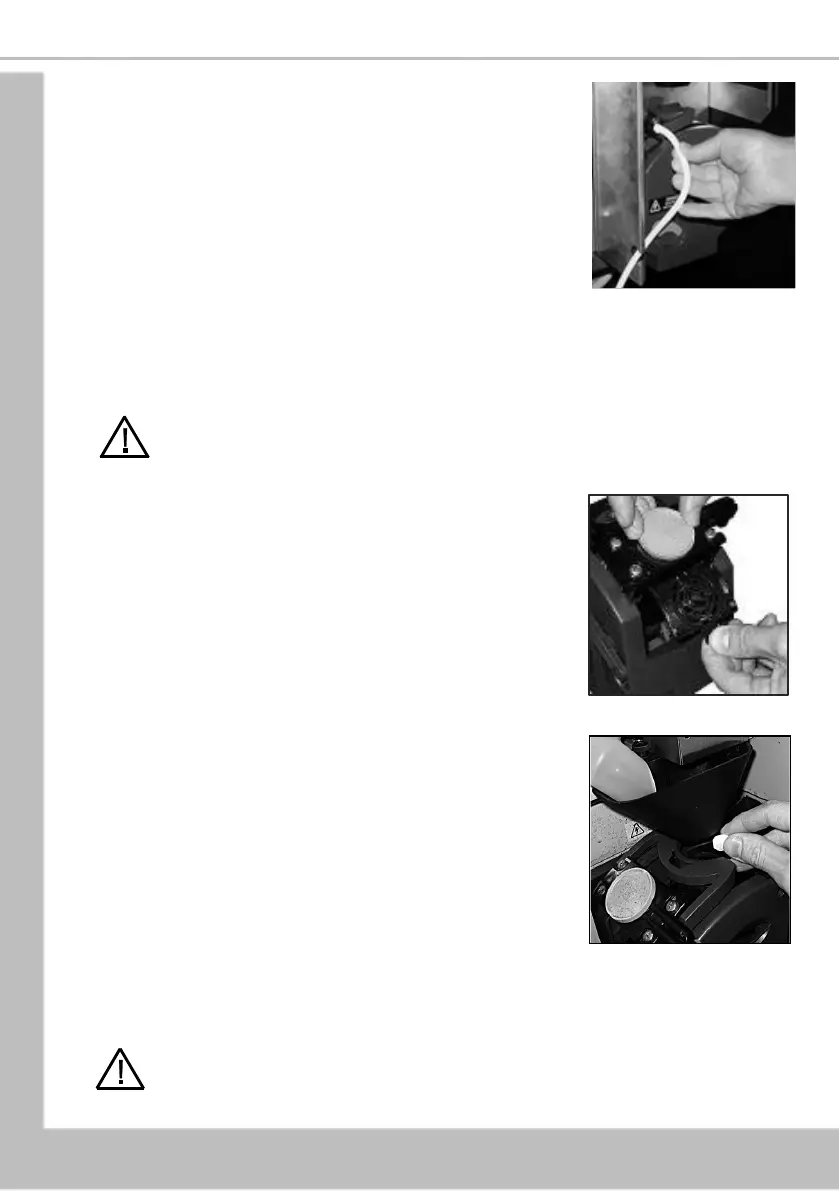
5. Refit the CoEx® brewer unit into the machine. Slide the
unit into place until it ‘clicks’ into position. Refit the
coffee dispense pipe to the brewer outlet as shown.
N.B. Depending how the machine has been setup the
waste counter may need to be reset when the brewer
waste container is emptied. This is done by pressing
button [12] on the service keypad. Two audible bleeps
confirm that the counter has been reset to zero.
4.5.3.b.2 Weekly Cleaning Procedure
The COTI has a routine cleaning cycle for the CoEx® brewer, with a warning message to
indicate a clean is recommended or required. If the ‘required’ message is ignored B2C and
fresh brew drinks cannot be selected until the brewer is cleaned, using the following
procedure:
Caution: Ensure that a suitable container is placed under the dispense position. Keep
hands away from the dispense area and brewer whilst the cleaning cycle is in
operation.
1. Remove the brewer from the machine (see Section
4.5.3.b.1). Turn the locking ring anti-clockwise to the
open position and remove the filter unit. Rinse the filter
unit thoroughly, replace in the brewer and refit the
brewer in the machine.
2. Press and release button [11] on the service keypad
and follow the instructions on the main display. i.e.
Press Start Sanitation After rinsing and cycling the
brewer the screen will display the message ‘Please
Place Cleaning Tablet in Brewer’.
Take one cleaning tablet (supplied in packs of 30 - CMS
part no. ZC10598000) and place it into the brewer
chamber as shown.
3. Press the Start Cleaning touch-pad on the drink
selection screen
4. The cleaning cycle lasts approximately 5 minutes and
dispenses approximately 9 cups of water through the
dispense head. The LCD will display the message
‘Cleaning in Progress’ throughout the cleaning cycle.
5. When the cleaning cycle is complete the LCD will display the message ‘Cleaning
Completed’. Press the Finish touch-pad on the drink selection screen to return the
machine to standby mode.
Safety First! Never clean or service the brewer unit while it is in motion. Keep hands
away from the dispense area and brewer whilst the cleaning cycle is in operation.





 To Next Page