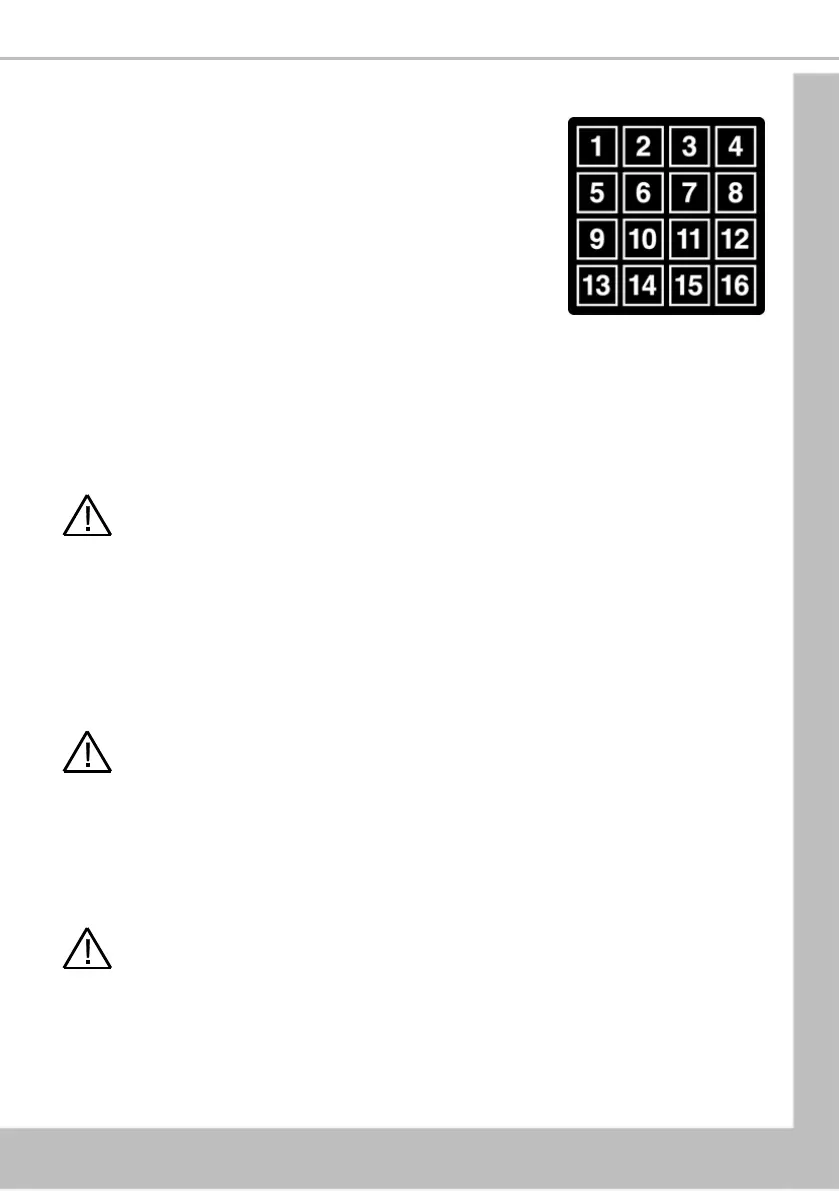
Section 5 - Service Keypad Functions
Your machine is fitted with a service keypad mounted on the rear of
the door. This keypad allows the operator to carry out specific
functions for routine cleaning and maintenance.
N.B. During certain operations e.g. View Counters it is necessary for
the operator to utilise the screen on the front of the door to access
data.
The service keypad allows the operator to carry out the following
functions:
5.1 Button 1 – Not used
5.2 Button 2 - Brewer Open (Freshbrew Models Only)
Opens the brewer fitted to freshbrew machines and enables the operator to replace the filter
paper used in paper type brewers or remove the brewer hopper/wiper assembly of paperless
brewers.
Caution: Ensure power is isolated at the main switch before working on any open
brewer.
5.3 Button 3 - Rinse/Flush
The flush sequence operates automatically and rinses the mixing bowls and brewers. Before the
sequence begins, the system waits until the water in the heater tank is at the correct
temperature. In order to guarantee the highest standards of cleanliness, the boiler fill valve is
disabled, ensuring that the water used in the sequence is delivered at the optimum temperature
to kill any micro-organisms. Each hot water valve and the corresponding whipper are switched
on in sequence for a pre-set flush time.
Caution: Ensure that a suitable container is placed under the dispense position. Keep
hands away from the dispense area whilst the flushing cycle is in operation.
5.4 Button 4 - Brewer Clean (Fresh brew Models Only)
Enables the brewer to be cleaned. In order to guarantee the highest standards of cleanliness, the
boiler fill valve is disabled, ensuring that the water used is delivered at the optimum
temperature to kill any micro-organisms. The brewer unit is filled with hot water and then
operated through four cycles. Once the cleaning cycle is complete, the heater tank refills.
Caution: Ensure that a suitable container is placed under the dispense position. Keep
hands away from the dispense area whilst the flushing cycle is in operation.
5.5 Button 5 - View Counters
This button enables the operator to access the Data Recall Menu where the operator is able to
view Non-Resettable and Resettable Sales Data, data relating to Timed Events, Identification
Numbers of installed components and SureVend™ information.





 To Next Page