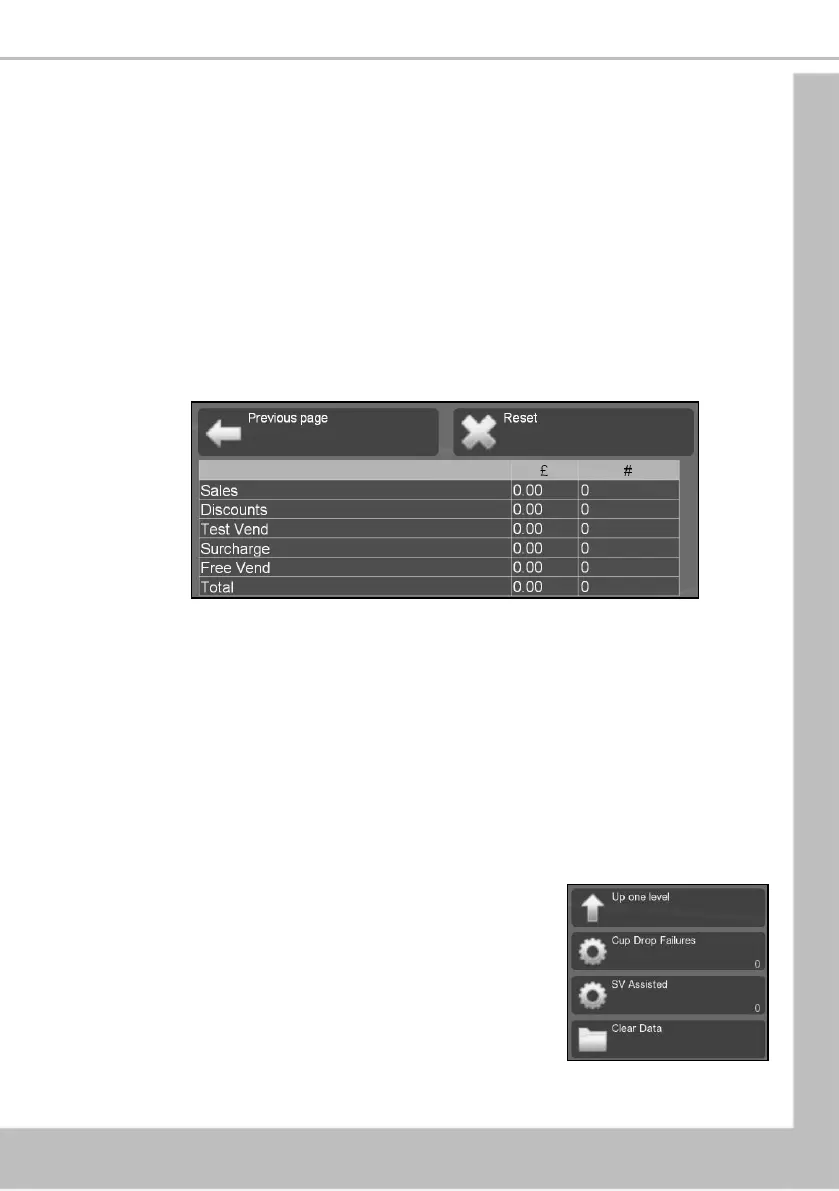
3. Press Previous Page to return to the By Product menu screen. The operator can then
view data for more selections and also access further menus via the Non Resettable
Sales Data menu relating to Cash, Cashless and Token audit data.
7.1.2 Resettable Sales Data
This menu contains similar data to that available from the Non Resettable Sales Data menu.
However, once viewed data from this menu can be cleared from the machine memory.
1. Select Resettable Sales Data (Overall Totals, By Product, Cash, Cashless or Token
Vends).
2. Select Overall Totals. This menu displays both the total £ amount and total vend
count (since the last time it was cleared) for the data fields shown.
N.B. See sub-section 7.1 Data Recall for detailed descriptions of these data fields.
Once the operator has viewed required information from these submenus, the data
can be deleted by pressing Reset then Yes to confirm. Press Previous Page to exit the
menu without clearing the data.
3. The operator can also view resettable monetary and vend data for individual product
by entering the By Product menu, and also view and record data relating to Cash,
Cashless and Token Vends using their relevant sub-menus.
7.1.3 SureVend™
This menu allows the operator to view and reset data relating to the SureVend™ feature.
1. Select SureVend™ (Cup Drop Failures, SV Assisted, Clear
Data). The LCD will display the screen as shown. From
this menu screen the operator can view the number of
cup drop failures that SureVend™ has logged and also
the number of SureVend™ assisted vends.
2. The data can be cleared by pressing Clear Data then Yes
to confirm.





 To Next Page