7.3.1 Individual Prices
This menu allows the operator to view and set an individual price for each drink selection
available from the machine.
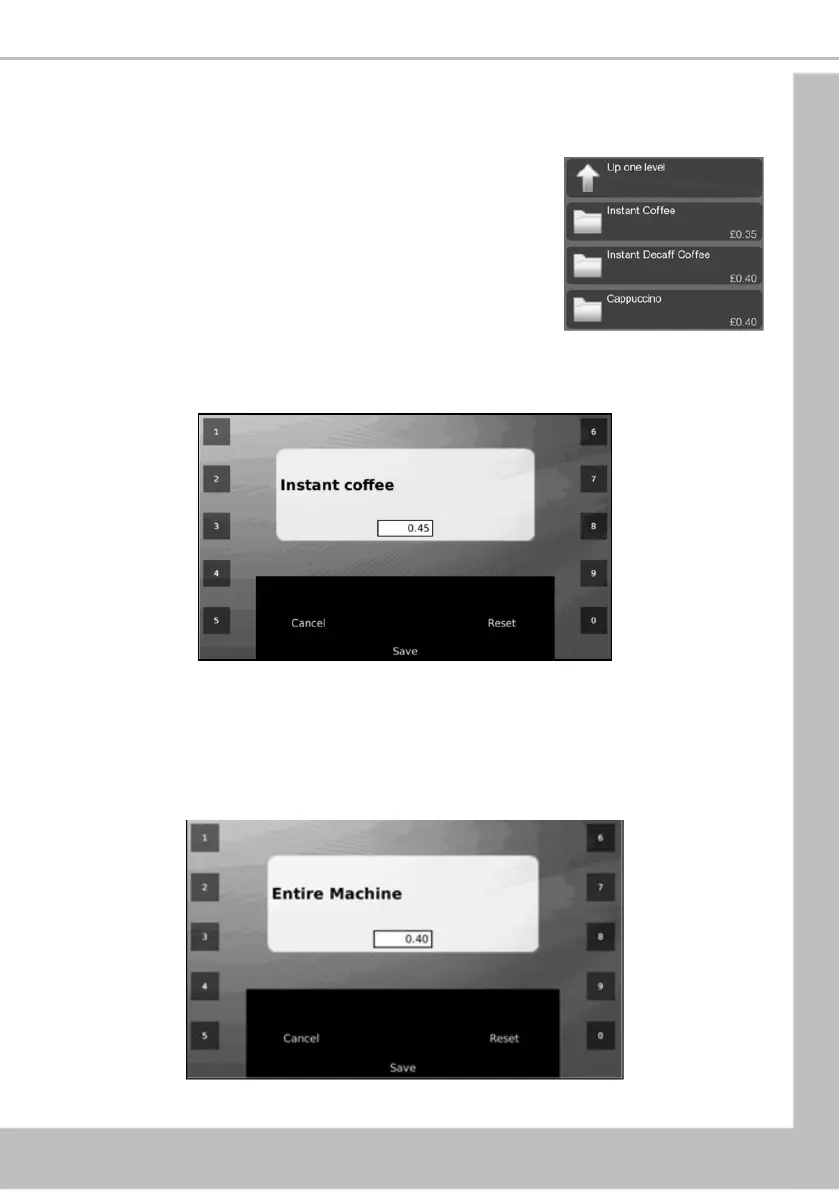
1. All drink selections available from the machine are listed
along with the current drink price. The example shown
illustrates an Instant Coffee selection with a price set
currently at 35p.
2. To change the price of the Instant Coffee, select Instant Coffee. The LCD will change
and display the screen as shown below. To update the price, e.g. increase to 45p,
press 4-5 using the appropriate touch-pads.
3. Press Save. The new price is now displayed. The operator can then update further
selections.
7.3.2 Entire Machine
This menu allows the operator to view and set a single price for all selections available from the
machine.





 To Next Page