1. The LCD will display the screen, with the current value (e.g. 40p), as shown.
2. To update the value, e.g. set a price of 50p, press the sequence 5-0 using the
appropriate touch-pads.
3. Press Save to keep the changes and return to the Price menu screen. The new price is
now displayed.
Tip: If most selections are to be sold at the same price, use this menu to quickly set
the entire machine to this price, then access the Individual Prices menu to adjust
prices for individual selections. Entering a single price for the entire machine will
over-ride any individual prices previously programmed.
7.3.3 Mug Discount
This menu allows the operator to view and set a discount value against all drink selections for
customers who use their own cup/mug.
When a customer places their own cup into the dispense area and selects a drink, the
SureVend™ sensors will detect the cup and disable the cup drop mechanism. The value set for
Mug Discount is then subtracted from the price of the drink selected and the appropriate
change/credit returned to the customer.
N.B. It is important to ensure that any value entered for a mug discount is supported by the coin
mechanism fitted to the machine, e.g. if a mug discount is set at 2p but the lowest coin available
from the coin mechanism is 5p, the machine will not return the discount to the customer.
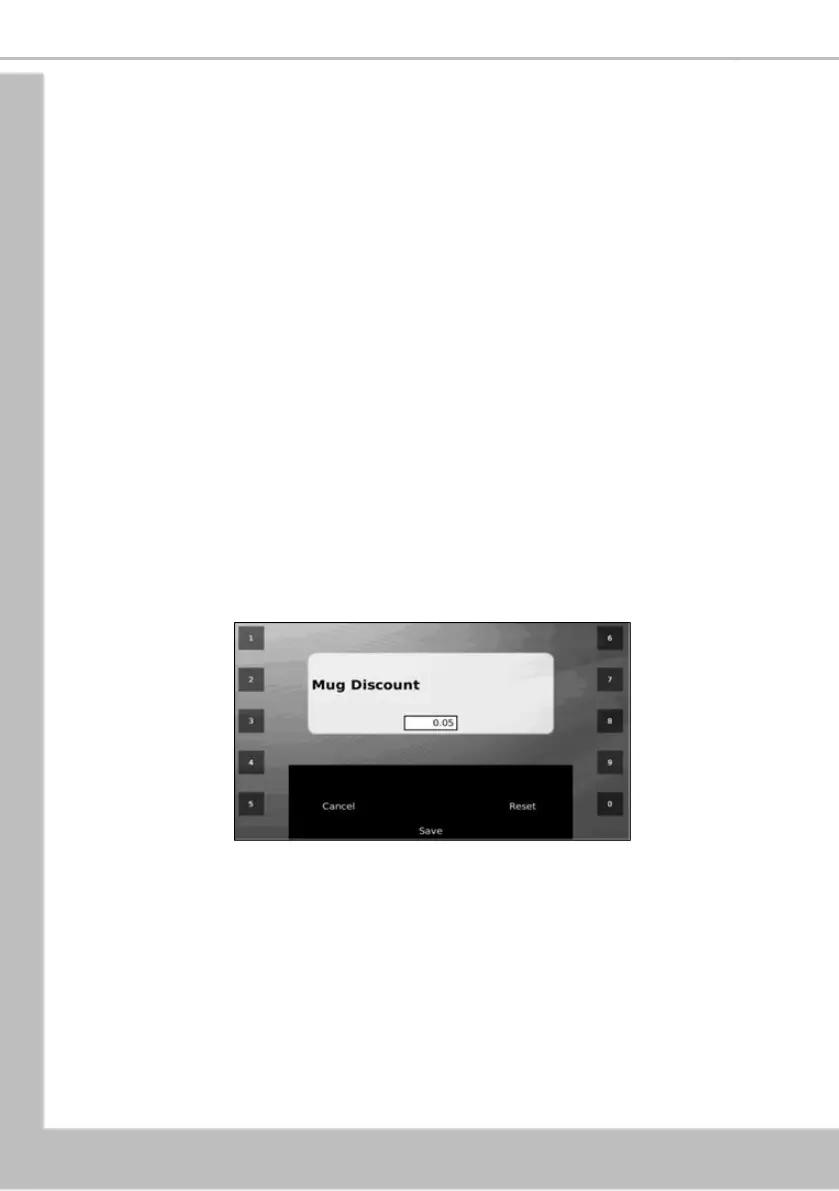
1. The LCD will display the screen, with the current value (e.g. 5p), as shown.
2. To update the value, e.g. set a price of 10p, press the sequence 1-0 using the
appropriate touch-pads.
3. Press Save to keep the changes and return to the Price menu screen. The new mug
discount is now displayed.
7.3.4 View High/Low Price
This allows the operator to view the highest and lowest values in force, programmed via the
Individual Prices sub menu.
N.B. If a single price is currently in force, this value will be displayed in both fields.





 To Next Page