7.4 Product Configuration Menu
This menu allows the operator to view and change Heater Tank Setup, Selection Timers, Custom
Selection Names, Jug Vend Configuration, Disable Selections, Token Enabled, SureVend™, Cup
Mechanism, Brewer Waste Management and Water Filter Management.
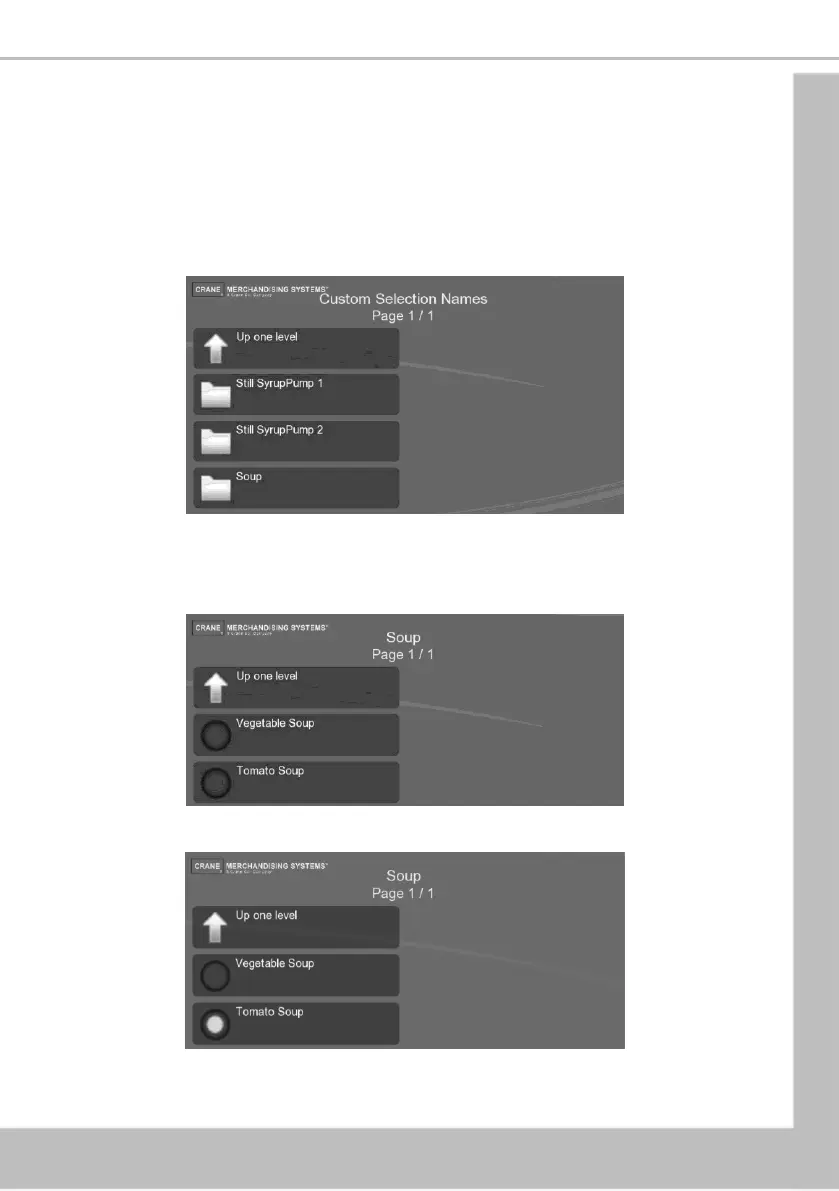
7.4.1 Custom Selection Names
This menu allows the operator to change the type of soup or flavour of cold drink displayed to
the customer on the main menu.
The following example describes how to update the machine to display Tomato Soup instead of
Soup.
1. Select Soup
2. Select Tomato Soup
3. Press Up one level





 To Next Page