Note: the cold drink flavour is adjusted in the same way.
7.4.2 Disable Selections
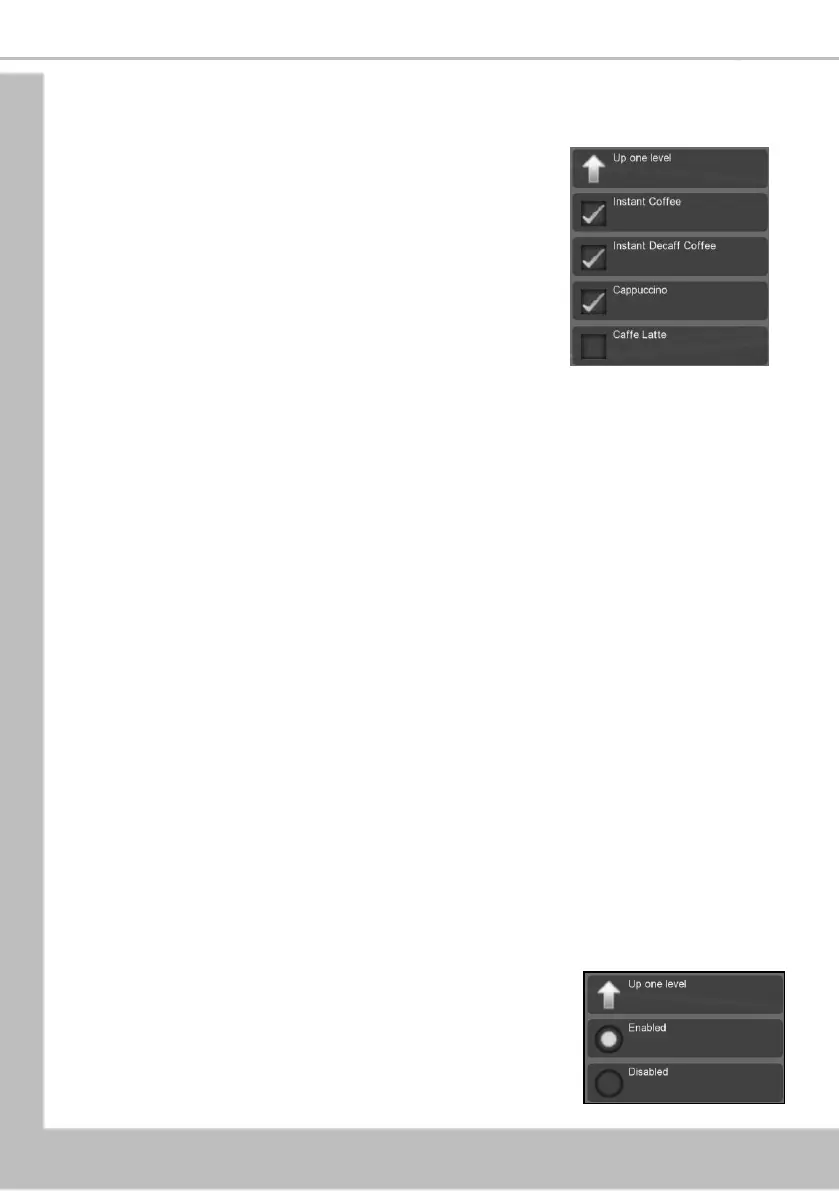
This menu allows the operator to disable individual drink
selections.
The following example describes how to disable drink selections
Instant Coffee, Espresso and Cappuccino
1. Select Disable Selections.
2. Press the touch key adjacent to the drinks selections
to be disabled, a TICK appears in its adjacent box
indicating that it is now disabled.
3. Press Up One Level.
Note: On the standby screen any drink selections that have been disabled appear
greyed out with the word “Unavailable” underneath and the touch-pad not
illuminated.
7.4.3 SureVend™
This menu allows the operator to turn the SureVend™ product delivery feature on or off.
SureVend™ Overview
SureVend™ ensures that a cup is always available in the cup station before any money is
collected or product delivered. The sensing system is a beam of infra-red light across the cup
station that is broken by a cup as it falls into position from the cup drop unit, or by a customer
placing his own mug in the dispense area.
The SureVend™ software monitors the cup station sensor during the time that the cup ring is
operated. If a cup is not detected the software will then attempt to drop a cup a second and if
necessary, a third time if a cup has still not been dispensed the main screen will display “Product
Not Dispensed”
Customers can now get their money back by pressing the coin return button or removing their
card.
If this happens on three consecutive occasions the main screen will display the message “Please
Insert Mug”. The machine remains in service but will not vend a cup from the cup drop unit.
To clear the message and return to standby mode open the door, if necessary, remove the
damaged cup from the cup drop unit.
Ensure correct operation before leaving the machine.
To configure SureVend™ proceed as follows:
1. Select SureVend™
2. Press the touch-pad adjacent to the required option





 To Next Page