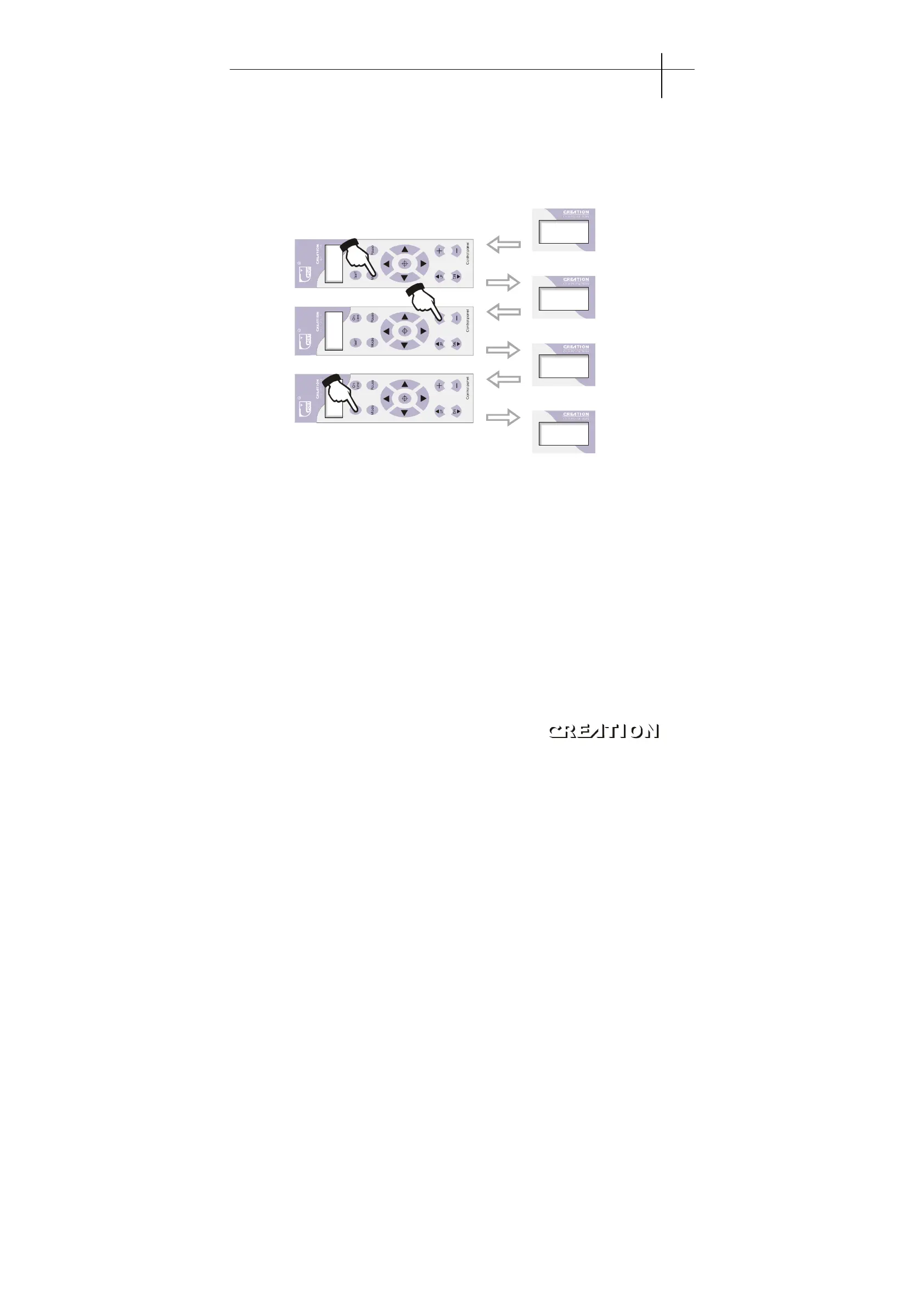
6.3.6.1 Press adjustment and saving
The knife press is adjustable within the range of 0-500g, when displaying
“Knifpress”,press“+”to increase press, while press“-”to lower press. When in cutting
process, if we find knife press is not suitable for cutting, we can press“PAUSE”button to stop
cutting for the moment, then press“+”or“-”button increase or lower press. When the press
is adjusted to reasonable level, press“TEST”to save (see following procedures)。
X+0. 00
+0 . 0 0
Kni f pr es
100
Kni f pr es
156
SaveDst s
Press TEST to store
parameters.
“”
Off-line stat
Press MODE to enter press
adjusting and saving interface
“”
Press + or - to change
the knife press
“” “”
Notes: if knife press is too low, cutting materials can not be cut well; but if the press is too big,
the strip cushion of the machine may be damaged. The exfactory press is 100 (about 200g)。
6.3.6.2 Speed adjustment
1. Short-line speed adjustment (Scut Sped) (remarks: the straight lines or curves below
8 mm are short lines). When displaying (Scut Sped), press“+”or“-”to adjust
short-line speed。
2. Long-line speed adjustment (Lcut Sped) (remarks: the straight or bias lines above 8mm
are short lines). When displaying (Lcut Sped), press“+”or“-”to adjust long-line speed.
3. Maximum speed / raising knife speed (Max Sped) (remarks: the speed of slider after
raising knife). When displaying (Max Sped), press“+”or“-”to adjust long-line speed。
Notes: the adjustment of above three speeds affect the speed and effect of cutting, (the
lower the value is, the faster the speed is). For specific fonts, adequate speed is
selected to take the machine's advantage. We hereto recommend three ideal speeds
to you according to our experience. (if it still can not meet your requirement ,
please continue increasing the values till you get satisfactory effect)。
PCUT SERIES USER
‘
S MANUAL Plotting servo machine PCUT S operating instructions
31



 To Next Page