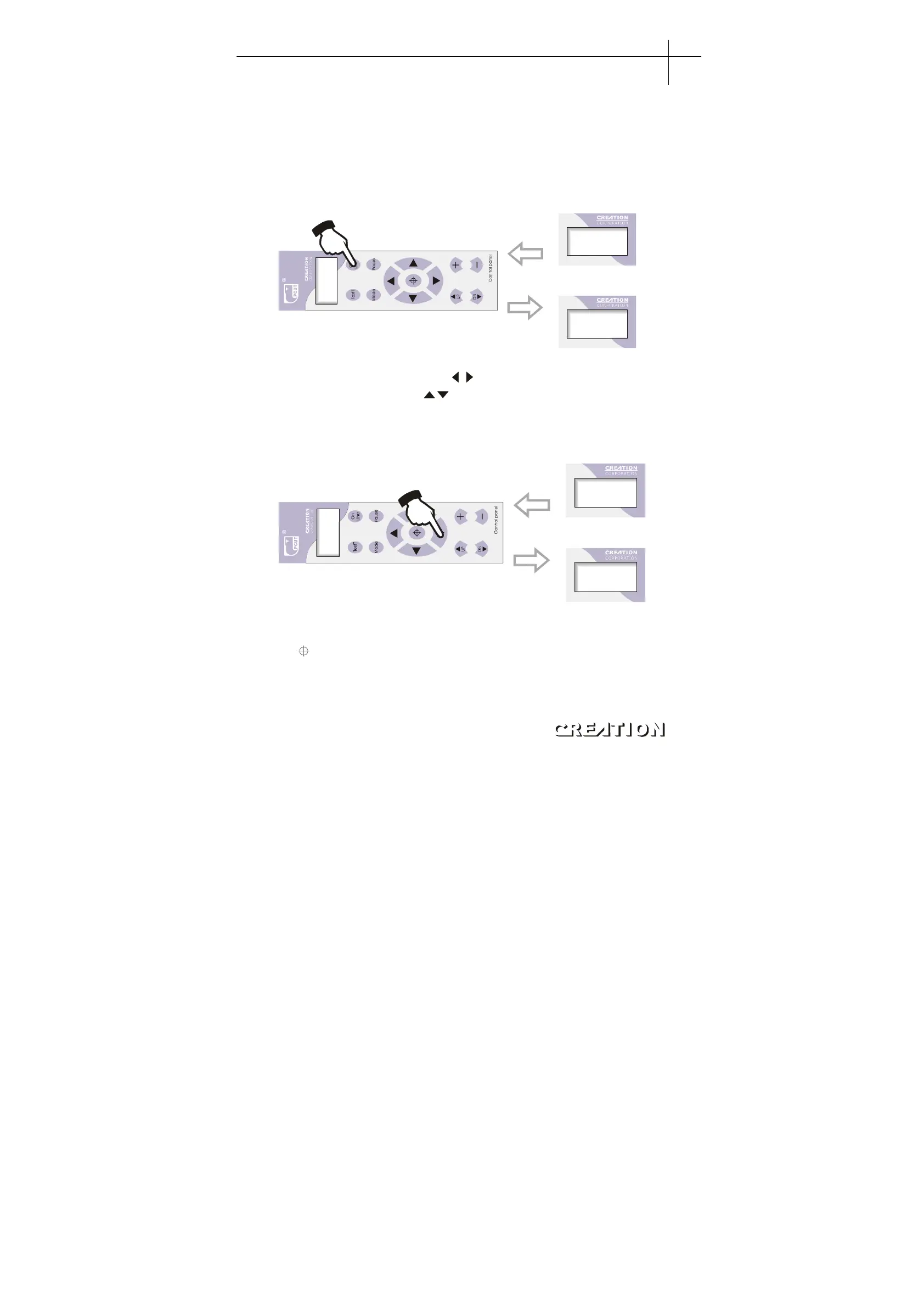
6.3 Operating instructions
6.3.1 On-line / off-line
When the cutter starts or is reset, it becomes in online state. Press“ON LINE”to
switch between online and off-line state. When computer transmits information to
cutter, the cutter must be in online state. However, when setting parameters for the
machine or operating it by hand, you shall set it in off-line state. The LCD will
display。
On L i n e . . .
X+0. 00
Y+0. 00
Online
Press on line bottom
toturn iuto Off line
6.3.2 Moving of knife top
While in off-line state, press“
”buttons to move the slider to leftward or
rightward. When pressing“ ”buttons the main shaft will rotate forward or
backward, and the step value (not equal to actual size , to get actual cutting size
exchange is needed) X , Y in the LCD will change accordingly. When reaching left
or right limit switch, it will automatically stop。
X+0. 00
Y+0. 00
X+1. 30
Y+2. 70
6.3.3 Setting origin of plotting
When moving the knife top to the starting position, press the origin setting button
“ ”,the values “X, Y”will be set as0, the setting of new origin is then completed. Then
press“ON LINE”button , the machine will start plotting from the new origin. If we
directly press“ON LINE”button instead of origin button, the knife will automatically
return to previously set origin。
PCUT SERIES USER
‘
S MANUAL Plotting servo machine PCUT S operating instructions
27



 To Next Page