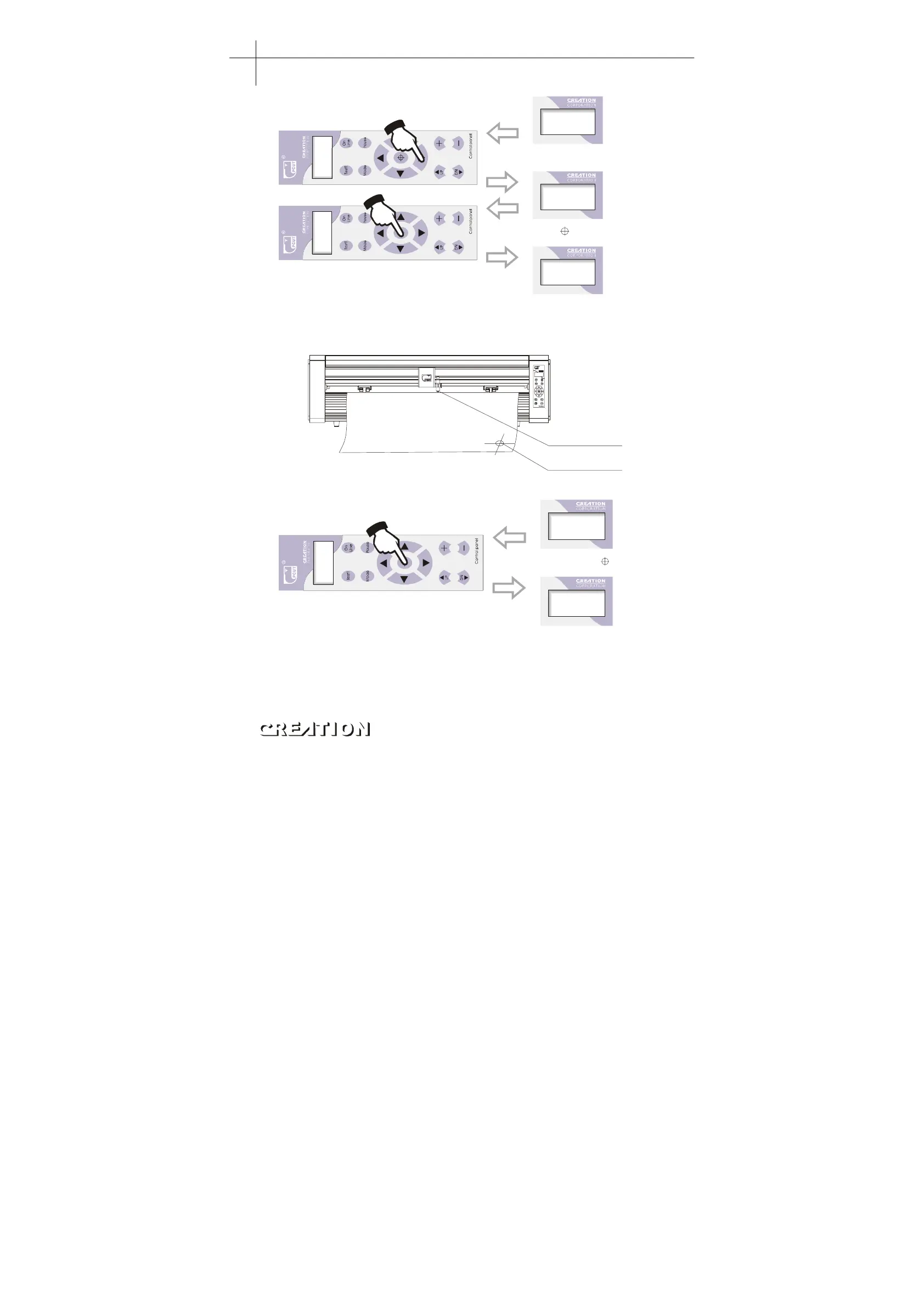
X+0. 00
Y+0. 00
X+1. 50
Y+2. 80
X+0. 00
Y+0. 00
Off-line state
Then press ON LINE button
to start plotting from the new
origin.
“”
Press X, Y arrow button to
the starting place to be plotted.
“”
Press button, the value
of X, Y is 0.
“”
“”
Relational map between absolute origin and arbitrary relative origin:
Arbitrary origin
Absolute origin
Setting arbitrary origin:
X+1. 50
Y+2. 80
X+0. 00
Y+0. 00
Off-line state
Directly press button,
the value of X, Y is 0.
“”
“”
Start-up origin: the presently default position of knife top when powering on the
machine each time。
Returning to origin: in“X=0.00,Y+0.00”state, if the knife top is moved, directly
press “ ON LINE ” button instead of origin setting button, the knife top will
automatically return to originally set origin. (error is not more than 1.2m)。
Plotting servo machine PCUT S operating instructions PCUT SERIES USER
‘
S MANUAL
28



 To Next Page