6.2.2.6 Press“
”button to test paper running, the paper running length shall exceed
the cutting length computer set. If the paper deviates, adjust as described below。
A. Raise handle of paperweight wheel B. Put paper in order
C. Press down the handle of paperweight wheel
D. Adjust bracket of paper roll, make it parallel to host
6.2.3 Trial run (adjusting knife press and tool)
CAUTION
Do not touch the knife top with your finger to prevent injury。
Quality of knife immediately relates to cutting precision and life of machine. To better
your work, please use the standard knives we confirm, but not those with poor quality。
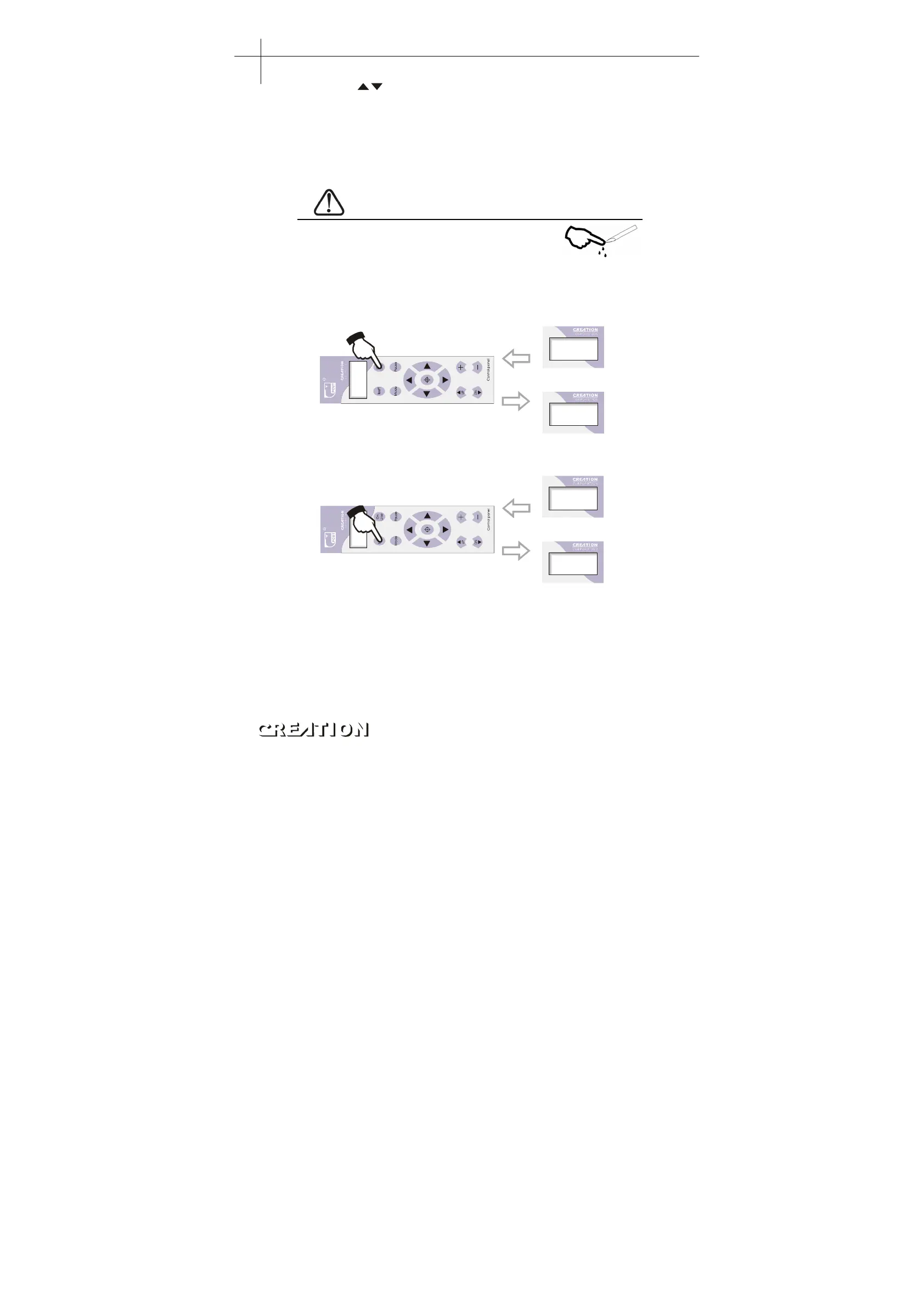
6.2.3.1 Press“ON LINE”button to make the machine in off-line state。
X+0. 00
+0. 00
On Li ne. . .
On line
Off line
6.2.3.2 While in off-line state, press“PAUSE”,the machine will automatically cut a
small square from the media。
X+0. 00
Y+0. 00
X+0. 00
Y+0. 00
6.2.3.3 Take off the square, if you fail, the square need to be further cut, because the
press is low or the protruding length of knife top is too short; If the base paper is arced
through, it signifies that the protruding length of knife top is too long and the press is too
big. Adjust the protruding length of knife top and knife press according to result of trial run
and the description of tool installation, The best result is just cutter though the material.
6.2.3.4 Press“+”or“-”to adjust knife press, for common materials the knife press
value ranges from 100 to 120。
Plotting servo machine PCUT S operating instructions PCUT SERIES USER
‘
S MANUAL
26



 To Next Page