Installation
Overview
This section
is
intended for the user who requires only a minimum amount
of
instructions to get the audio card installed.
If
you need more
information, please refer to Chapter 2.
GETTING
STARTED
Installation is
easy
and
fast Just
zoom
down
this
slide to
get
your
system
blasting
sound
in
no
time.
CONNECT
EXTERNAL
SPEAKERS
TEST
AUDIO
CARD
Enter
TEST-SBP
from
your
sowid
directory.
expansion
slot.
-1
~iili~
..
Switch
on
your
system. Insert
your
Audio
Card
Disk
# 1
into
the
,,
disk
drive
and
r,+--
-;
~
enter
INSTALL.
USING
YOUR
SOUND
SYSTEM
Read
the
accompanying
documentation
==~--~
for information
on
making full
use
of
your
sound system.
1
Knowing
Your
Audio
Card
This chapter helps you locate and identify the components
of
your audio
card.
The
components
of
the audio card are divided into the following
categories:
LJ
Jacks and Connectors
D Jumpers
D Volume Control Knob
Jacks
and
Connectors
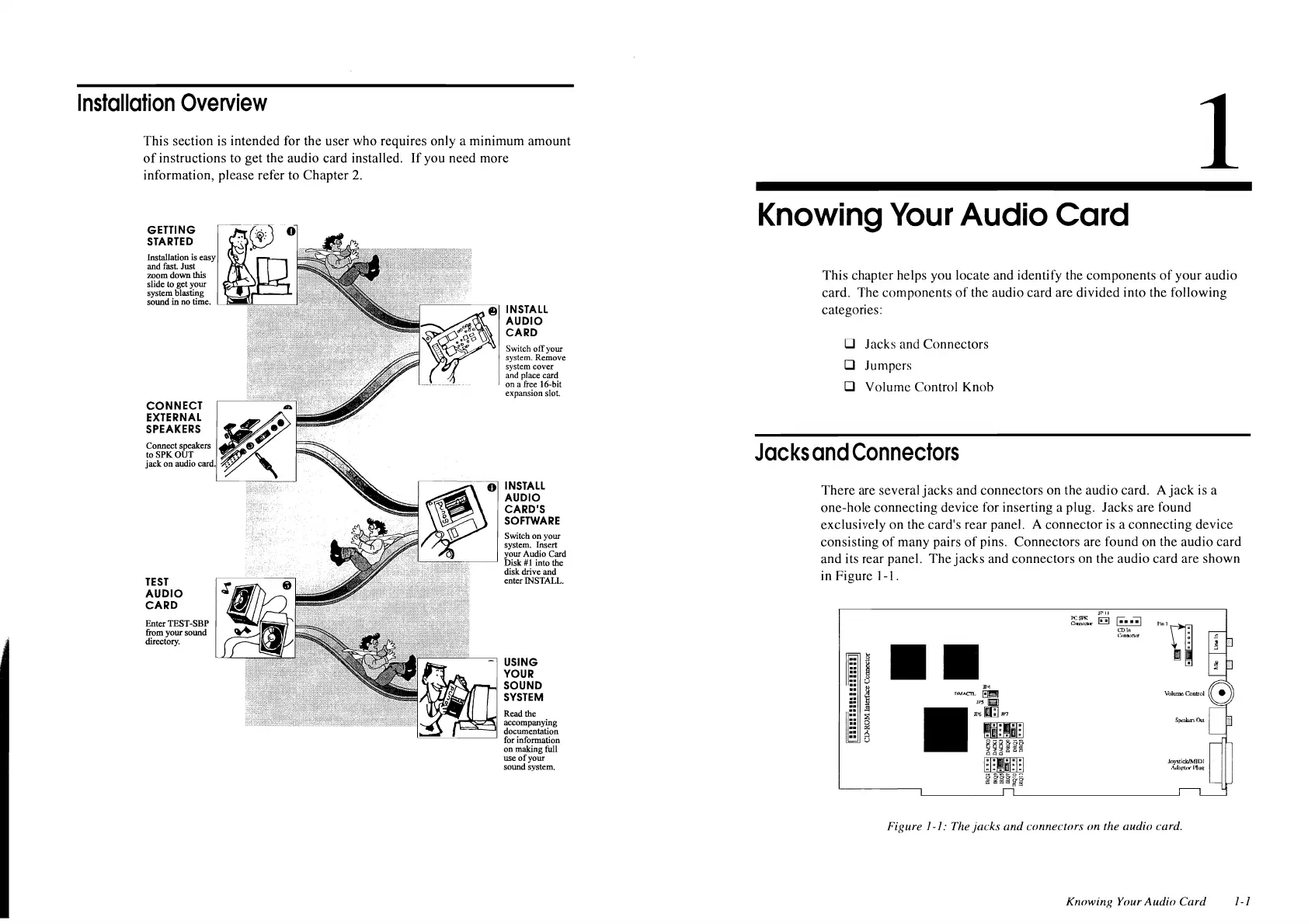
There are several
jacks
and connectors on the audio card. A
jack
is
a
one-bole connecting device for inserting a plug. Jacks are found
exclusively on the card's rear panel. A connector is a connecting device
consisting
of
many pairs
of
pins. Connectors are found on the audio card
and its rear panel. The
jacks
and connectors on the audio card are shown
in Figure 1-1.
Il'"
flM.l.CTl.
~
'"'81
m:;il[;JJl'7
JPll
~
..
!!::!I
c;-
••
-;i
L'Dln
l'.<1nncct<ir
Figure
/-/:
The
jacks
and
connectors on the audio card.
Knowing Your
Audio
Card
1-1












 To Next Page