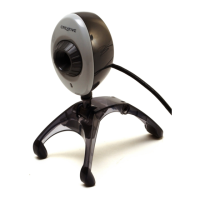
Note on USB Compatibility C-1
C
Note on USB Compatibility
While testing WebCam Go Plus on PC motherboards with integrated Universal Serial Bus
(USB) ports, we encountered a small number of motherboards that do not meet the USB
specification exactly. These and other non-USB-compliant motherboards may not operate
correctly with WebCam Go Plus. Fortunately, the manufacturers of some of these
motherboards have released new versions of motherboards or BIOS to address the problem.
If the setup program warns you that your motherboard’s USB port is incompatible, or if the
camera does not work on your system and you suspect that the problem may be related to your
PC’s USB port, the following is a list of available options:
1. Contact your PC vendor.
Your PC vendor may be able to upgrade your motherboard or its BIOS to a newer version
that addresses USB incompatibilities.
2. Use a PCI host adapter which provides USB connectors.
If you are not able to upgrade your motherboard or its BIOS, we recommend this approach.
3. Attach the WebCam Go Plus to a powered USB hub.
Some USB devices (such as monitors) also operate as powered USB hubs; you can also buy
dedicated powered USB hubs which are to be attached to your PC’s USB port. However, in
some cases, attaching a powered USB hub to a non-USB-compliant USB motherboard
connector will not solve the problem.
To look for a USB compatible
product, you can visit the product
search page at the official USB
Web site: http://www.usb.org/
app/search/products.



 To Next Page