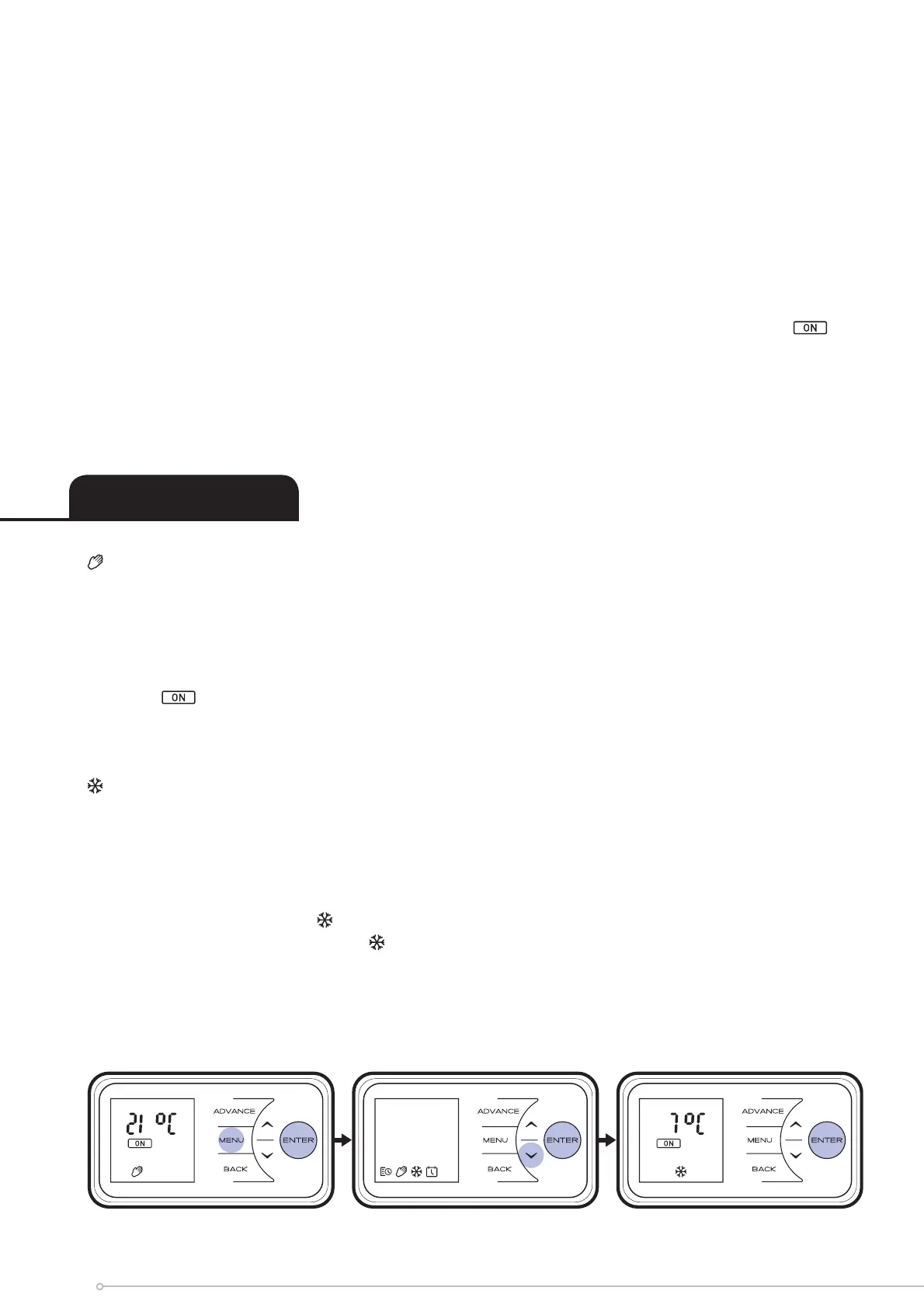
Manual Mode - To choose a constant heat mode. This mode ignores the User Timer and
maintains the displayed temperature.
• Press Menu Button
• Press Up to highlight the Hand icon
• Press Enter Button
• Ensure is highlighted
• Press Enter Button
• Use Down and Up to adjust to the desired temperature
Frost protect - Frost protect mode maintains a room temperature of 7
o
C throughout a 24
hour period. This mode should be used to provide protection against frost as indicated by the
Frost icon.
• Press the Menu button
• Press Up twice to highlight the snowfl ake icon
• Press Enter to access the Frost protect menu
• Press Down or Up to adjust the Frost protect temperature setting
• Press Enter to confi rm
Setting Modes
Once P1-P4 heating programmes have been set, COPY will fl ash on the screen. To copy
newly programmed P1-P4 heating programmes to other days press the Enter button.
COPY will be displayed on screen and the next day in sequence will fl ash at the top of the
screen, To copy to the next day in the sequence, press Up button, to deselect the next day
in sequence press Enter button.
The days of the week that are selected will be displayed at the top of the screen. The days
that have been deselected will not be visible (see Diagrams).
Press Enter to confi rm, backlight will fl ash and return to the User Timer screen. With
highlighted press the Enter Button to activate User Timer, the backlight will fl ash and the
screen will return to the home screen.
16


 To Next Page