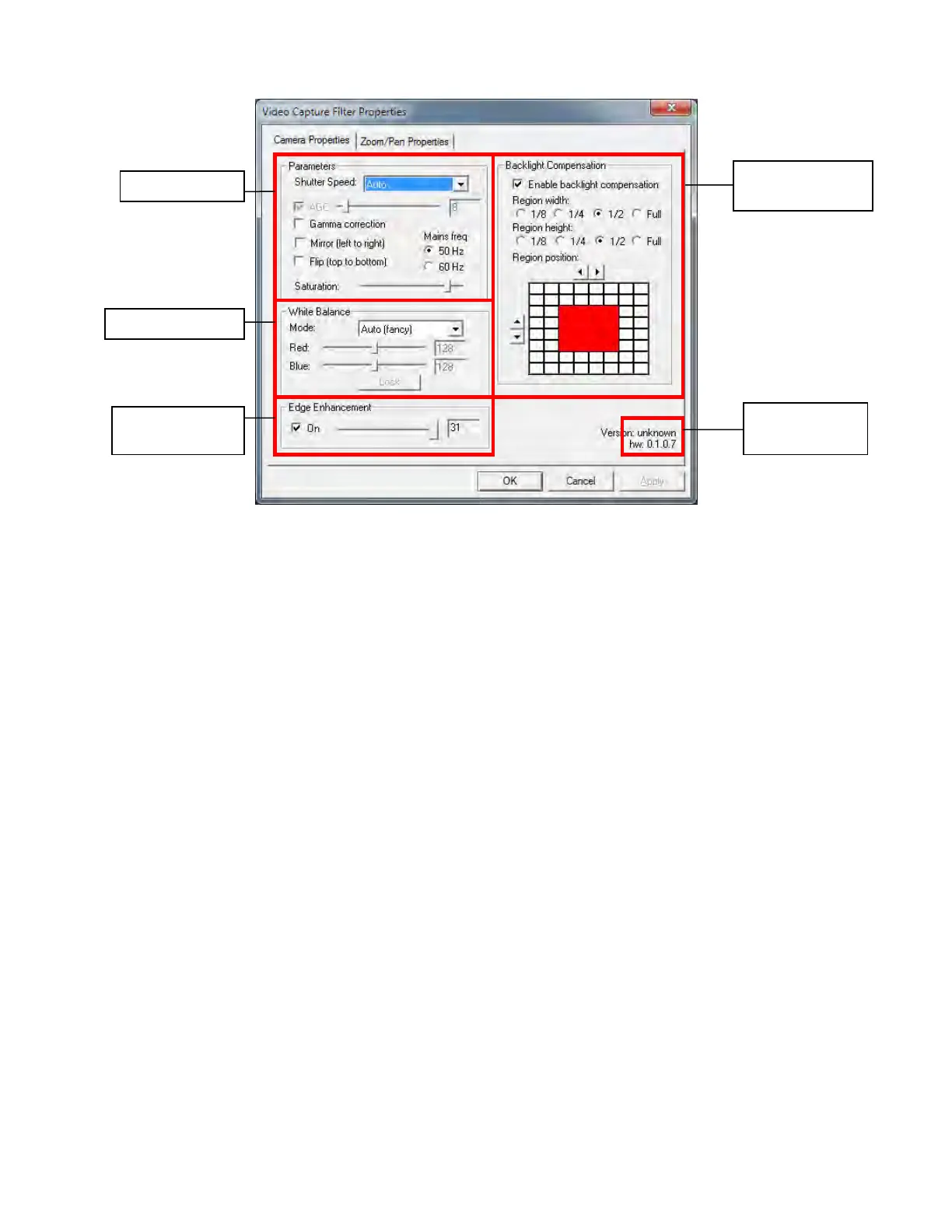
8.1.1.2. Camera Properties
8.1.1.2.1. Parameters
8.1.1.2.1.1. Shutter Speed
The camera’s shutter speed is analogous to the shutter speed of a conventional camera, although for a
solid state imager there is no physical shutter. For this type of camera “shutter speed” refers to an
electronic shutter, which determines the length of time over which charge is accumulated on the image
sensor.
In low light conditions, a slow shutter speed (long integration time) is required in order to get a good
quality image.
This camera’s shutter speed can be varied from 1/15 sec. to 1/120 sec. The camera utilizes a rolling
shutter, which operates in a fashion similar to a focal plane shutter on a conventional camera.
With this type of shutter, different parts of the sensor are exposed at different times, which can result in
distortion of moving objects.
There is also an automatic setting (AUTO), in which the shutter speed is adjusted automatically according
to the overall light level.
Note: Faster shutter speeds should not be used when operating the camera under fluorescent lighting. The
intensity of the light varies at the AC line frequency (60Hz) and causes dark bands to appear across the
image.
8.1.1.2.1.2. Gain Control
Gain can be set to automatic (unchecked), in which case the camera will automatically adjust to variation
in illumination and subject matter or to manual (checked) in which the user controls the variation in
illumination and subject matter.
8.1.1.2.1.3. Gamma Correction
Gamma correction switches between 0.45 and 1.0 to accommodate various monitors.



 To Next Page