2-Series Integrated Dual Bus Control System Crestron AV2 & PRO2
2. Verify that the cable being used is correct. It should be a straight-
through cable. That is, pin 1 on one end is connected to pin 1 on the
other end. Pin 2 connects to pin 2, etc. To work properly, pins 2, 3, and
5 must be connected. The handshaking pins (pins 7 and 8) are
irrelevant.
3. Verify that the proper COM port on the PC has been selected. Some
computers have more than one COM port; some of which may be
internal (e.g., for a modem). If verification can not be made, consult the
user’s manual or contact the PC manufacturer.
4. Check the ERR LED on the front of the 2-Series integrated dual bus
control system. If the LED is illuminated, unplug the unit and reapply
power after a few seconds. If the LED illuminates again, call Crestron
customer service. Refer to "Further Inquiries" on page 43.
5. If steps 1 through 4 have failed to result in communications, the last
series of steps to perform is a reset on the control processor. Complete
the following steps to do so.
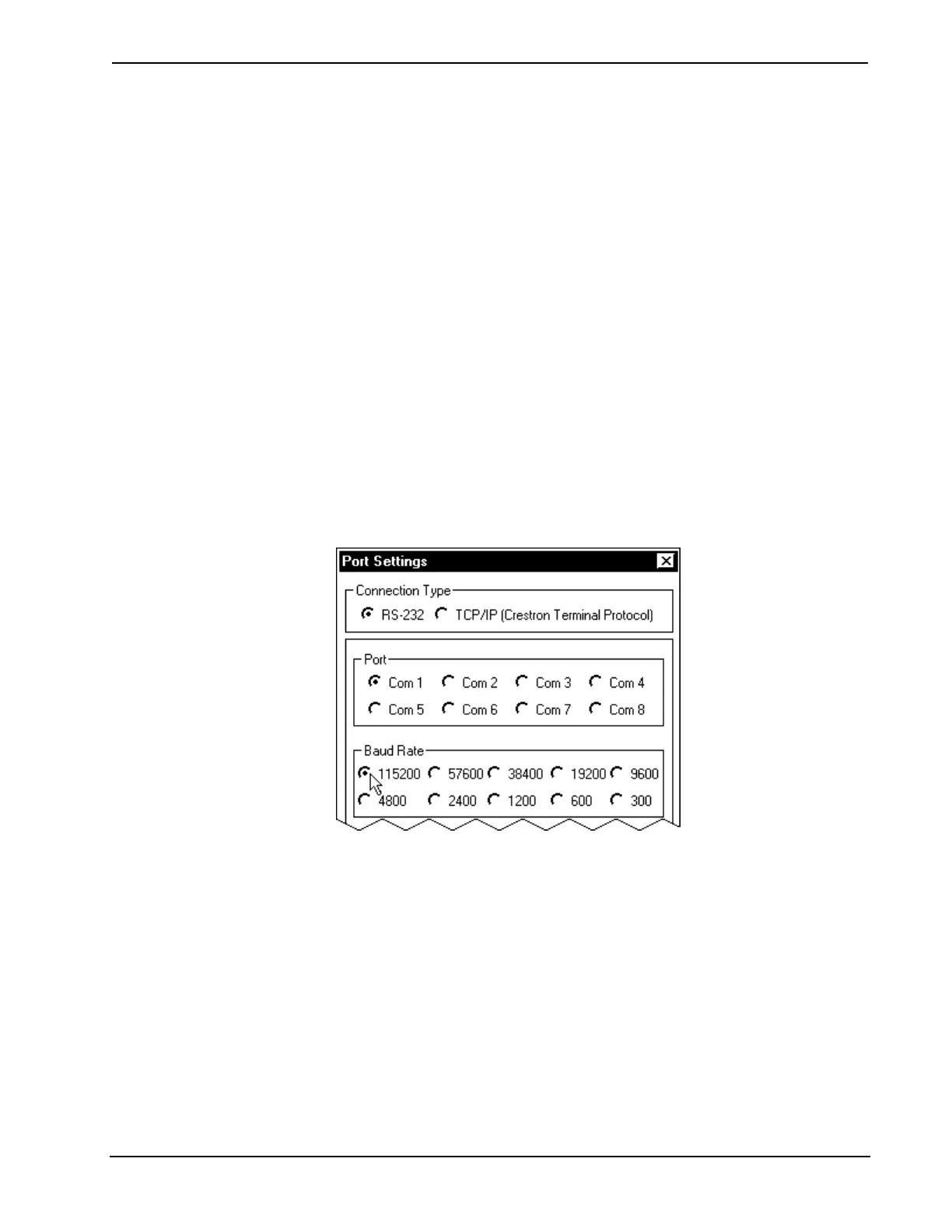
5a. While the Viewport is displayed, select Setup | Communications
Settings (alternatively, depress Alt+D) to open the “Port Settings”
window.
5b. Set the baud rate to 115200, as shown below.
Changing the Baud Rate in the “Port Settings” Window
5c. Set the 2-Series integrated dual bus control system to 115200 baud
with the following actions.
- Depress and release the HW-R button on the front panel of the
2-Series integrated dual bus control system.
- Depress and hold the SW-R button on the front panel of the 2-
Series integrated dual bus control system for approximately
five seconds.
- Wait until a message similar to the one (after this step) appears
in the Viewport.
28 • Integrated Dual Bus Control System: PRO2 & AV2 Operations Guide - DOC. 5957











 To Next Page