Crestron AV2 & PRO2 2-Series Integrated Dual Bus Control System
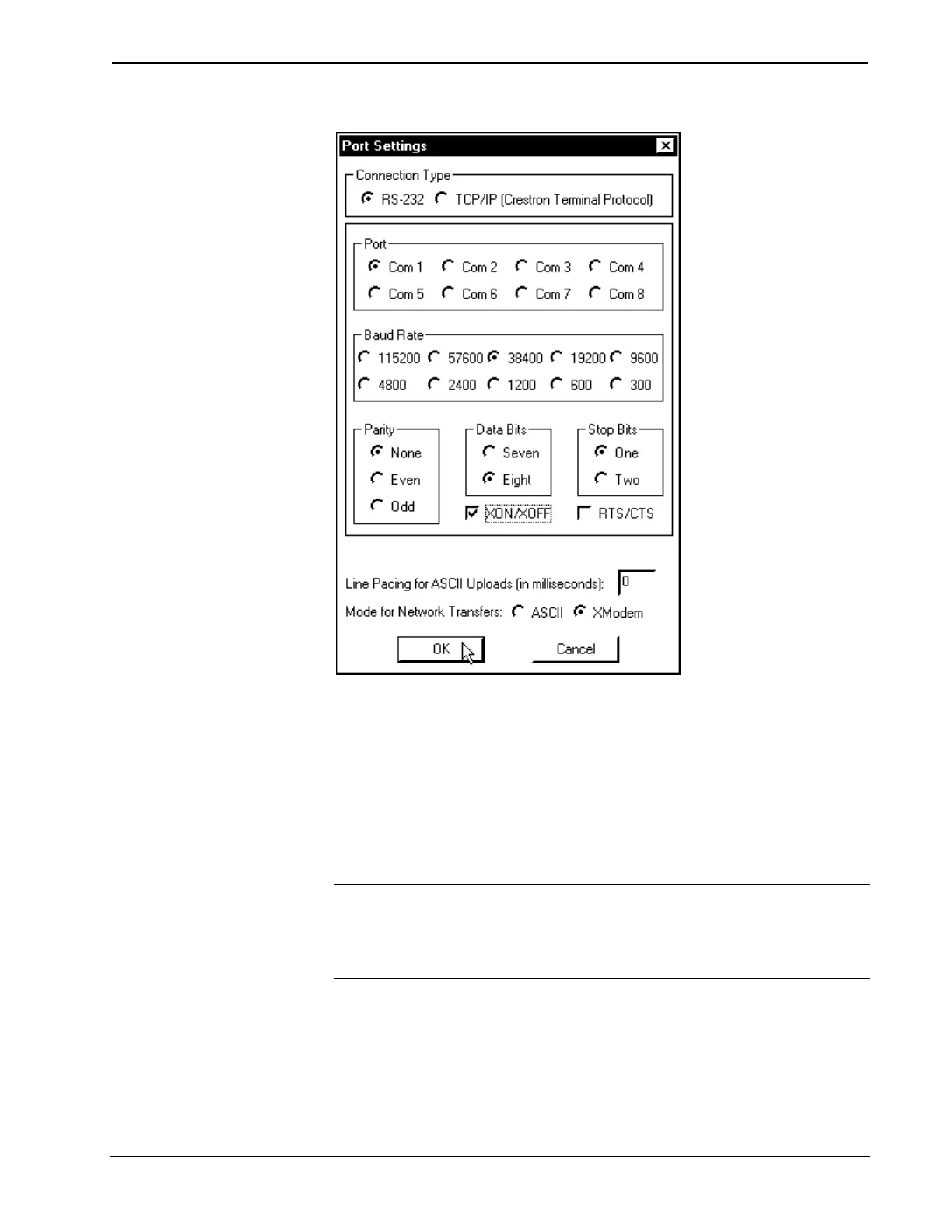
“Port Settings” Window
8. Select Diagnostics | Check Operating System Version (alternatively,
depress the F5 key) from the Viewport. The Viewport may display a
window as it scans various baud rates. Eventually, a message should
appear within the Viewport window showing a version number. Such a
response indicates that communications have been established. If a “No
Communications with Rack” error message appears, proceed to
"Troubleshooting Communications" on page 27.
Troubleshooting Communications
NOTE: This section covers troubleshooting communications of the 2-Series
integrated dual bus control system via RS-232 to the COMPUTER port. For
troubleshooting Ethernet communications of the unit with the optional Z-BUS
expansion card, refer to the C2ENET-1 & C2ENET-2 Operations & Installation
Guide (latest revision of Doc. 5962, respectively) for further information.
If communications with the 2-Series integrated dual bus control system was not
established, follow the steps in this section to help remedy the problem. After
performing each step, repeat step 7 in "Obtaining Communications" on page 25
again.
1. Try repeating step 7 from "Obtaining Communications" on page 25 to
attempt to establish communications.
Operations Guide - DOC. 5957 Integrated Dual Bus Control System: PRO2 & AV2 • 27











 To Next Page