2-Series Integrated Dual Bus Control System Crestron AV2 & PRO2
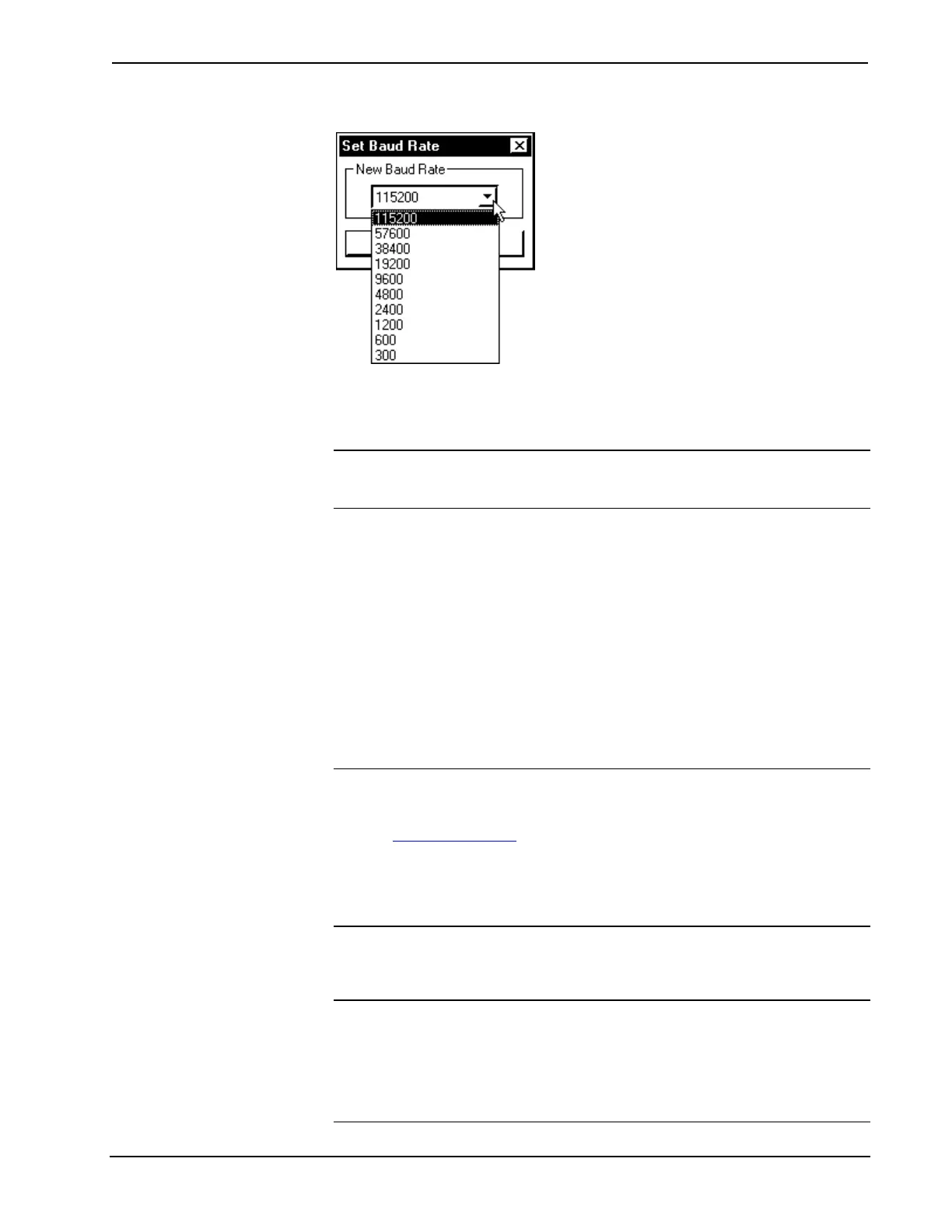
"Set Baud Rate" Window
5g. Reinitialize the unit by recycling the power again or depress the
HW-R button. The Viewport responds with some text and the
AV> or PRO> prompt (depending on which unit is used).
NOTE: If after trying all these procedures, communication can not be established,
contact Crestron customer service for assistance. Refer to "Further Inquiries" on page
43.
Creating the System Program
SIMPL (Symbol Intensive Master Programming Language) is an easy-to-use
programming language that is completely integrated and compatible with all
Crestron system hardware. The objects that are used in SIMPL are called symbols.
SIMPL Windows offers drag and drop functionality in a familiar Windows
environment.
SIMPL Windows is Crestron's software for programming Crestron control systems.
It provides a well-designed graphical environment with a number of workspaces
(i.e., windows) in which a programmer can select, configure, program, test, and
monitor a Crestron control system.
NOTE: Crestron 2-Series control systems require SIMPL Windows version 2.00 or
later. The latest software versions can be obtained from the What's New page
(SIMPL Windows section) or Downloads page (SIMPLWIN Library) of the Crestron
website (www.crestron.com). New users are required to register in order to obtain
access to the FTP site.
NOTE: The following table assumes that the reader has knowledge of SIMPL
Windows. If not, refer to the extensive help information provided with the software.
To create a program with an AV2 or PRO2 in the Configuration Manager of SIMPL
Windows, refer to the table on the next page for initial configuration information.
NOTE: There is a Slot 10: C2I-AV2-FRONTPANEL shown in the Configuration
Manager of SIMPL Windows. However, this slot represents non-programmable
hardware and there is no reference in Programming Manager.
NOTE: Each item listed in the Device Library column (except Control Systems) is
optional and applies to all control systems (unless indicated otherwise).
30 • Integrated Dual Bus Control System: PRO2 & AV2 Operations Guide - DOC. 5957











 To Next Page