Product Manual — Doc. 9020C AirMedia® Series 3 Receivers • 38
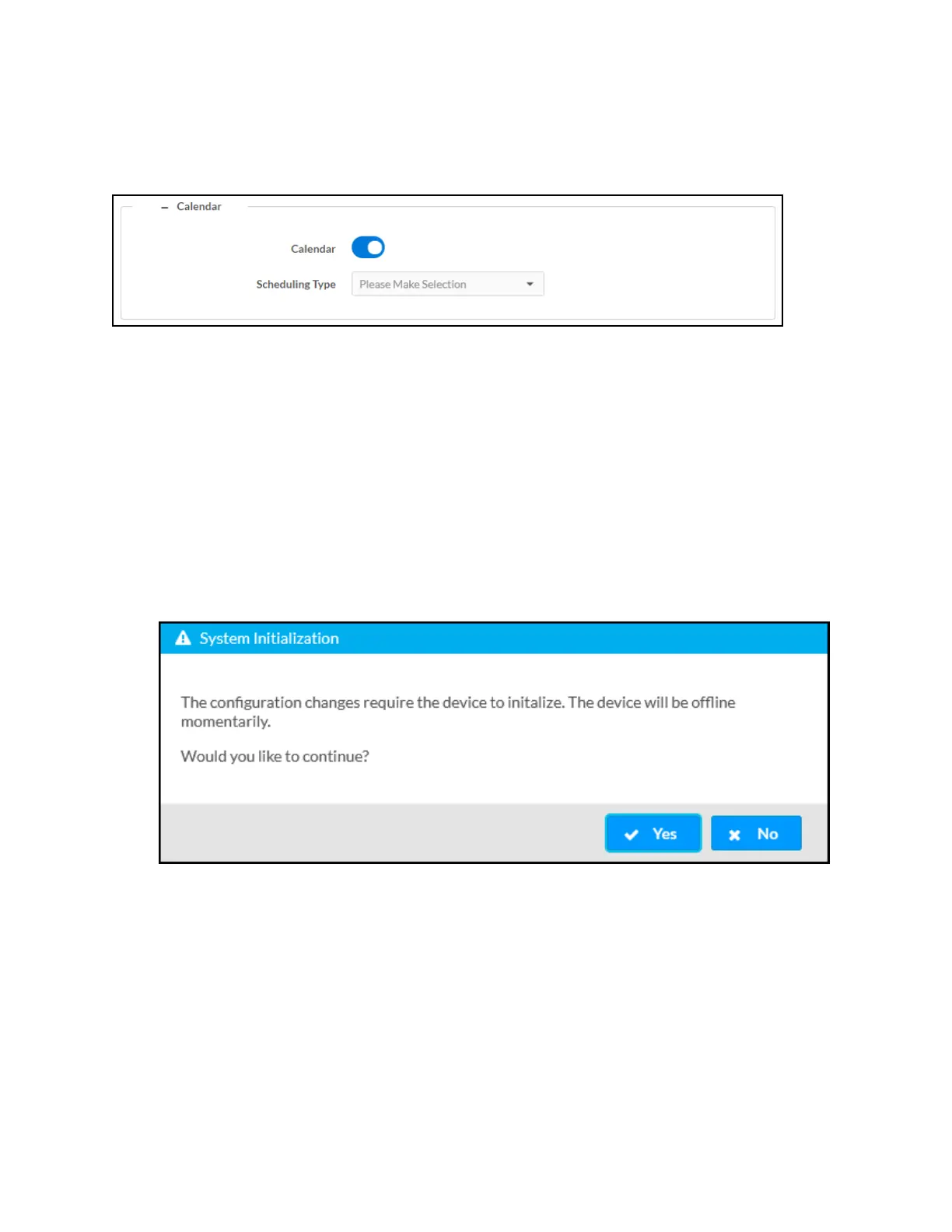
Select the + (plus) icon next to Calendar to display the following calendaring application
settings.
Settings Tab - Services (Calendar)
l
Calendar: Turn the toggle on to use a calendaring application with the AirMedia device.
l
Scheduling Type: Select a calendaring service from the dropdown menu.
Crestron Fusion Service
To use the device with Crestron Fusion scheduling software:
1. Configure a Crestron Fusion connection as described in Services (on the previous page).
2. Turn on the Calendar toggle.
3. Select Fusion from the Scheduling Type drop-down menu.
4. Select Save Changes. In the System Initialization dialog box, select Yes to continue.
System initialization will occur.
System Initialization
Google Calendar Service
To use the device with the Google Calendar service:
1. Turn on the Calendar toggle as described in Services (on the previous page).
2. Select Google from the Scheduling Type drop-down list to use the Google Calendar™
application for calendar functions.















 To Next Page