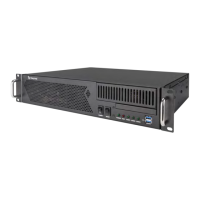
Crestron DM-MD8X8/16X16/32X32 DigitalMedia™ Switchers
3. Turn the selection knob to highlight Hardware Configuration or
Firmware Configuration and press the ENTER button.
a. For Hardware Configuration:
Hardware Configuration
<< >>
Current Hardware Conf
i. Press the soft buttons labeled gg
and hh to display the data that
does not fit on the display.
ii. Turn the selection knob to view other data.
iii. Press the MENU button to return to the About controls.
b. For Firmware Configuration:
Firmware Configuration
Frm: v4.001.002 (Oct 20 2
Prg: DM Switcher v2.1.7
Pnl: dm switcher v2.1.7
i. Turn the selection knob to view other data.
ii. Press the MENU button to return to the About controls.
4. Press the MENU button to return to the Control section.
Message Log
The Message Log section of Installer Tools contains system messages from the
DM switcher.
Open Message Log
To open the Message Log section of Installer Tools:
1. Open Installer Tools as described on page 41.
2. Turn the selection knob to highlight Message Log and press the ENTER
button. The Message Log will be displayed.
Operations Guide – DOC. 6755C DigitalMedia™ Switchers: DM-MD8X8/16X16/32X32 x
53



 To Next Page
 Loading...