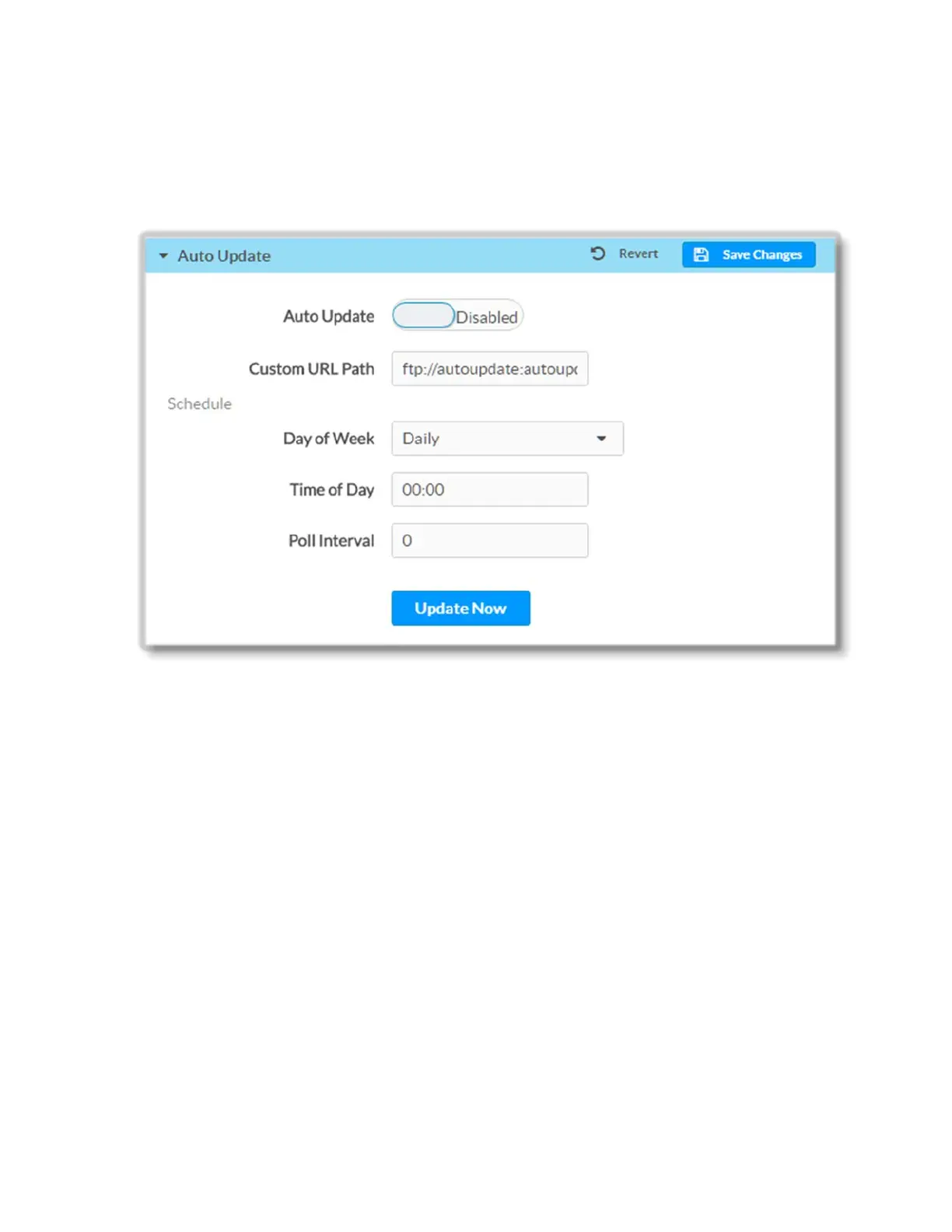
Auto Update
To auto update the controls provided on the web interface of DM-NVX-E30(C), do the
following:
1. Move the Auto Update slider to the Enabled position. By default, the auto
update functionality is set to Disabled.
2. Provide a path to the update cloud in the Custom URL Path text field.
If you wish to schedule auto update to occur on certain days of the week, click on
the Day of Week drop-down and select the desired option (available options are
as follows: Daily, Sunday, Monday, Tuesday, Wednesday, Thursday, Friday,
Saturday) and then enter time of the day when the auto update will start in the
Time of Day text field.
If you wish to specify polling interval, enter value in the Poll Interval text field.
Click the Update Now button to force an update immediately.
To save the auto update settings, click the Save Changes button.
To revert to the previous settings without saving, click the Revert button
33 • DM-NVX-E30(C)



 To Next Page