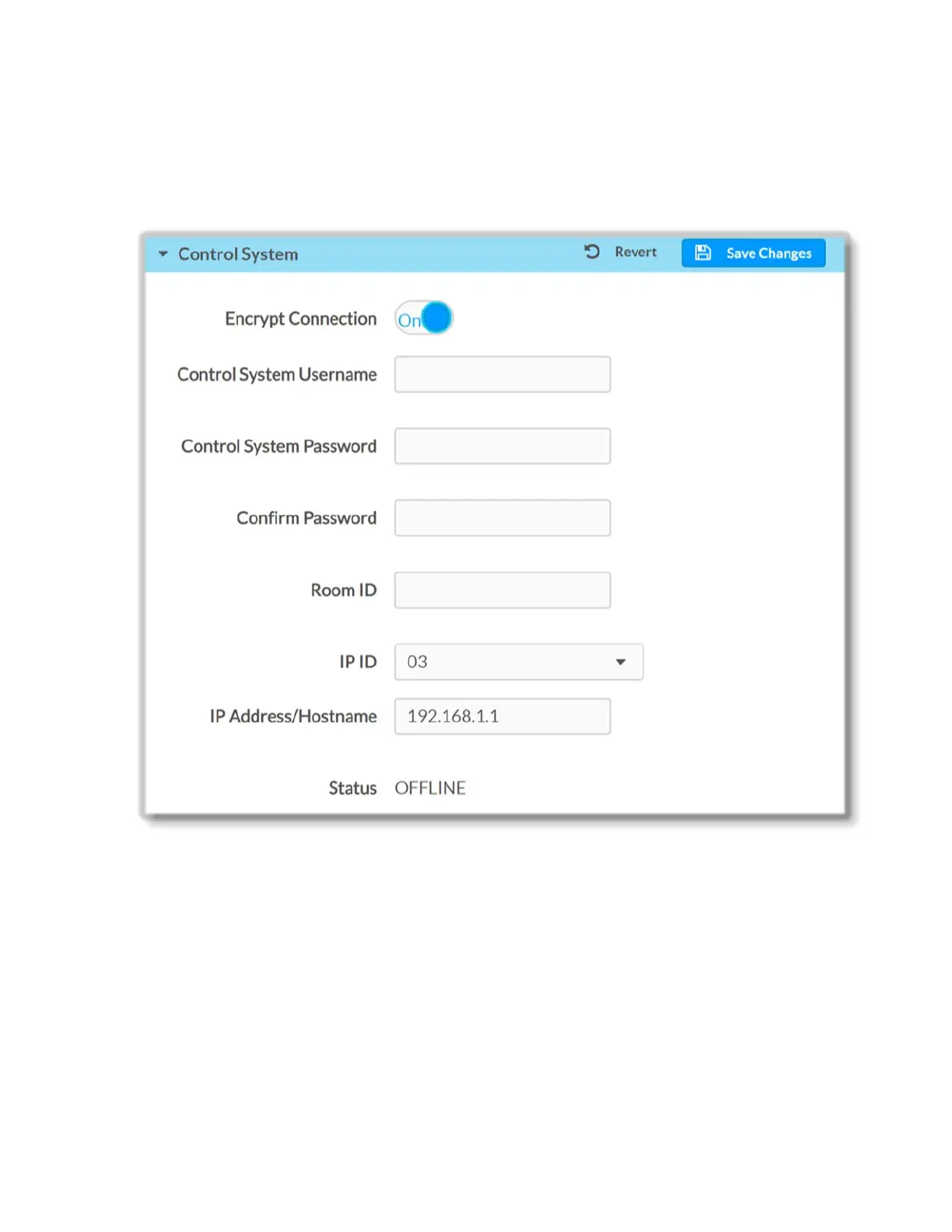
Control System
To connect the DM-NVX-E30(C) to a control system, in the Control System section of the
page, do the following:
1. In the Encrypt Connection, select On or Off to specify whether to use encryption.
By default Connection encryption is set to Off.
Note that when encryption is enabled, Control System Username, Control
System Password and Confirm Password text fields are displayed if necessary to
provide login information.
2. Enter Room ID in the Room ID text field
3. In the IP ID drop-down list, select the IP ID of the DM-NVX-E30(C). Valid values
range from 03 to FE in hexadecimal notation.
4. In the IP Address/Hostname text field, enter the IP address or hostname of the
control system.
34 • DM-NVX-E30(C)



 To Next Page