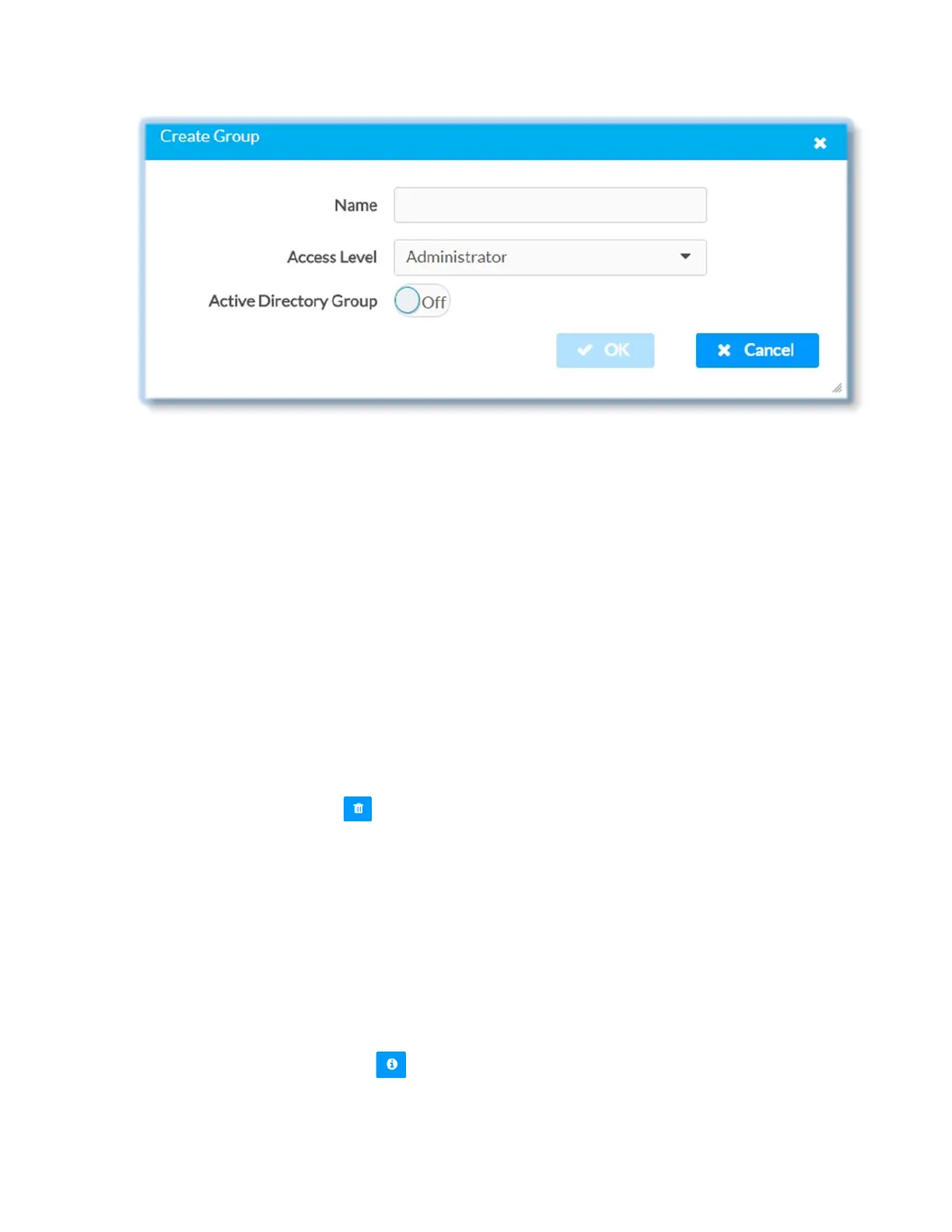
Once the group is added, all members of that group will have access to the DM-NVX-
E30(C).
1. Click Create Group button
2. In Create Group dialog enter the following:
• Enter group name in the Name text field, for example “Engineering Group”
Note that group names are case sensitive; space is a valid character than can be
used in group names
• Assign group access level by selecting a pre-defined access level (Administrator,
Connect, Operator, Programmer, User) from the Access Level drop-down list
• Make sure that the Active Directory Group slider is set to On
3. Click OK to save; click Cancel to cancel the changes.
Delete a group
Click the trashcan button ( ) in the Actions column to delete a group. Click Yes when
prompted to delete the group or No to cancel the deletion.
When a group is deleted, users in the group are not removed from the device/Active
Directory server; however, because user’s access level is inherited from a group(s), users
within the group will lose the access rights associated with this group. When AD group is
removed from DM-NVX-E30(C), all members of that group will lose access to the DM-NVX
device.
View Group Details
Click the information button ( ) in the Actions column to view information for the
selected group. The Group Details dialog listing the following information for the
selected group:
40 • DM-NVX-E30(C)



 To Next Page