Supplemental Guide — Doc. 6958E DM-TX-201-C • 5
Communications Using Crestron Toolbox Software
Crestron Toolbox software enables communications with the DM-TX-201-C.
Communications with the DM-TX-201-C can occur in the following ways:
l Via a DM switcher (DM-MD8X8, DM-MD16X16, or DM-MD32X32)
l Via the LAN port of the DM-TX-201-C. In this scenario, the DM-TX-201-C is used in a
stand-alone configuration in which it does not connect to a DM switcher.
Communications via a DM Switcher
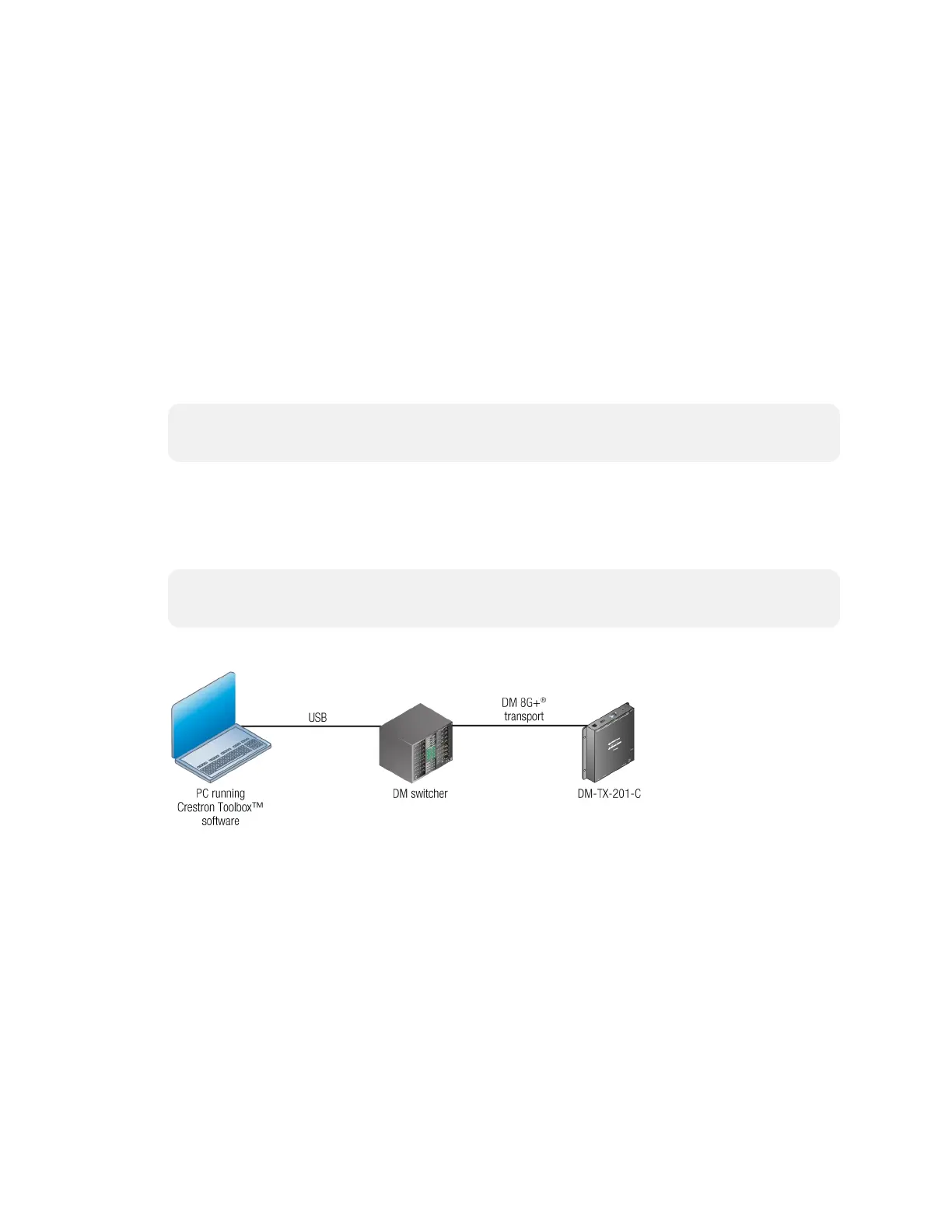
Communications with the DM-TX-201-C can be accomplished using USB or TCP/IP
communications between a PC running Crestron Toolbox software and a DM switcher.
NOTE: TCP/IP provides a faster method of communications than USB and is required
for operation with a Crestron control system.
Using USB Communications
Use Crestron Toolbox software to establish USB communications between a PC and a DM
switcher.
NOTE: The Type A to Type B USB cable included with a DM switcher connects the USB
port on a PC to the COMPUTER port on the DM switcher.
USB Communications via a DM Switcher
To establish USB communications between a PC and a DM switcher, do the following:
1. Using the Address Book, create an entry using the USB communications protocol.
When multiple USB devices are connected, identify the DM switcher by entering
information into the following text boxes:
l Model: Enter the model name (DM-MD8X8, DM-MD16X16, or DM-MD32X32)
of the DM switcher.
l Serial: Enter the serial number of the DM switcher.
l Hostname: Enter the hostname of the DM switcher.



 To Next Page
 Loading...