RR400/420 User Manual - CRISARTECH
Firmware version 190122 - © CRISARTECH 2019 - Page 19 / 29
8 Infrared remote control
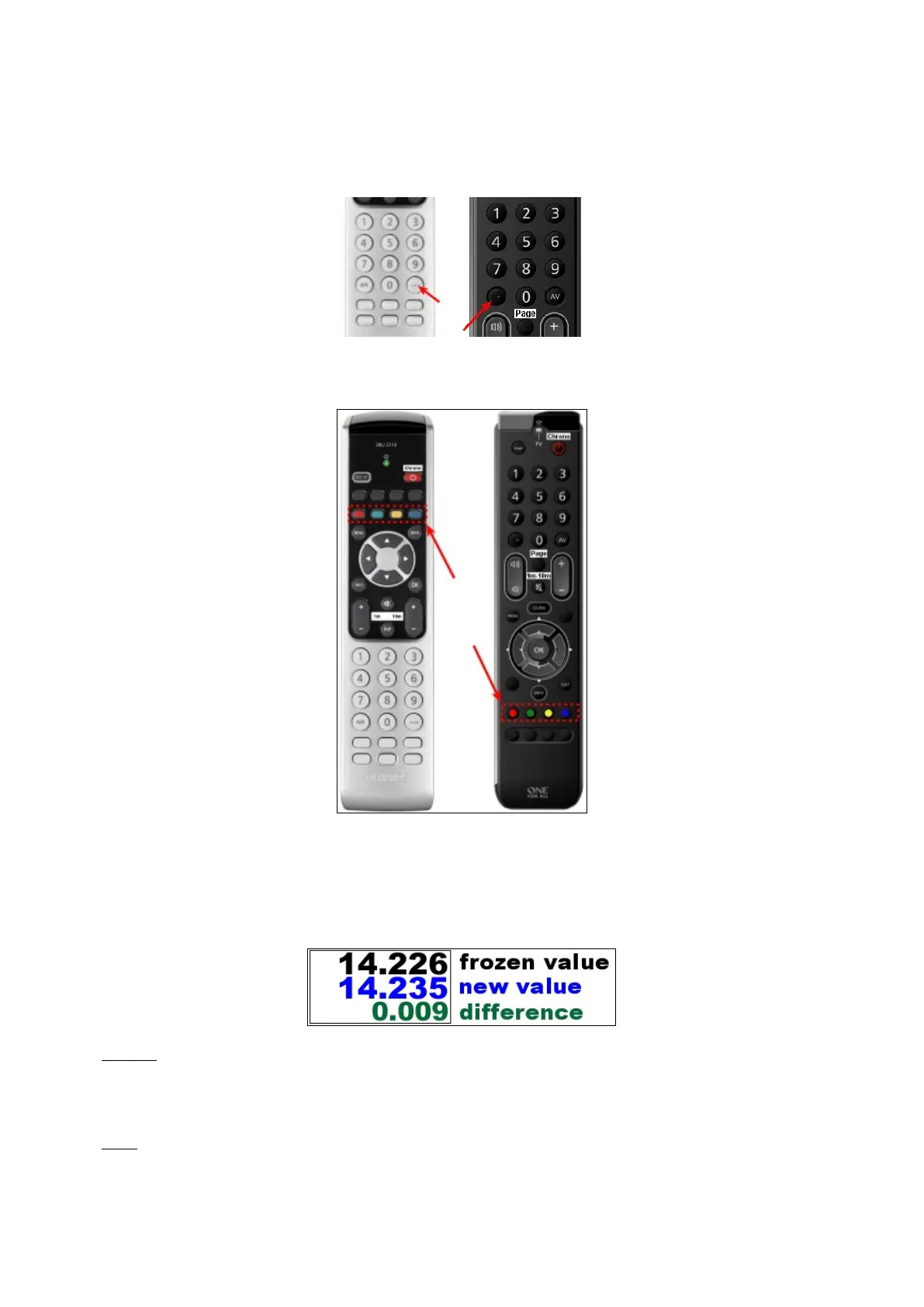
The decimal point is obtained with the key at the bottom right for Philips (formerly "reset to 0" or "---") or
left for OneForAll:
As soon as the remote control is used, frames in red, green, yellow, blue appear in certain areas or buttons. These
zones are activated by pressing the corresponding function keys on the remote control:
8.1 Freeze / change distance
To freeze the distance, use the OK key. this value can be changed with the number keys or with +/- 1 or +/- 10 m.
The new value appears in blue and the difference in green. When validating with the OK key, the difference is
applied, that is to say that the trip takes into account the distance that runs during the time of manipulation:
Example:
- freeze distance to 14,226 km. in front of a sign,
- on the road-book is written 14,235 km for this panel. We type this value,
- valid further at km 14.600, the trip goes to 14.609 km applying the difference.
Notes
:
- the difference display (in green) may be hidden in the co-pilot page configuration.
- the frozen value is displayed in meters as part of the command history, bottom right, and during the race, it is
saved in the trace file (preceded by the letter F), if this action is not canceled with BACK or EXIT key.


 To Next Page