RR400/420 User Manual - CRISARTECH
Firmware version 190122 - © CRISARTECH 2019 - Page 21 / 29
9 Entering a distance on the fly
In the case that a shift distance is not given before departure, but "at the sign", proceed as follows:
- by preparing the ZR, put a longer distance,
- start the ZR normally,
- before arriving at the sign, open the page with the distances / speeds table,
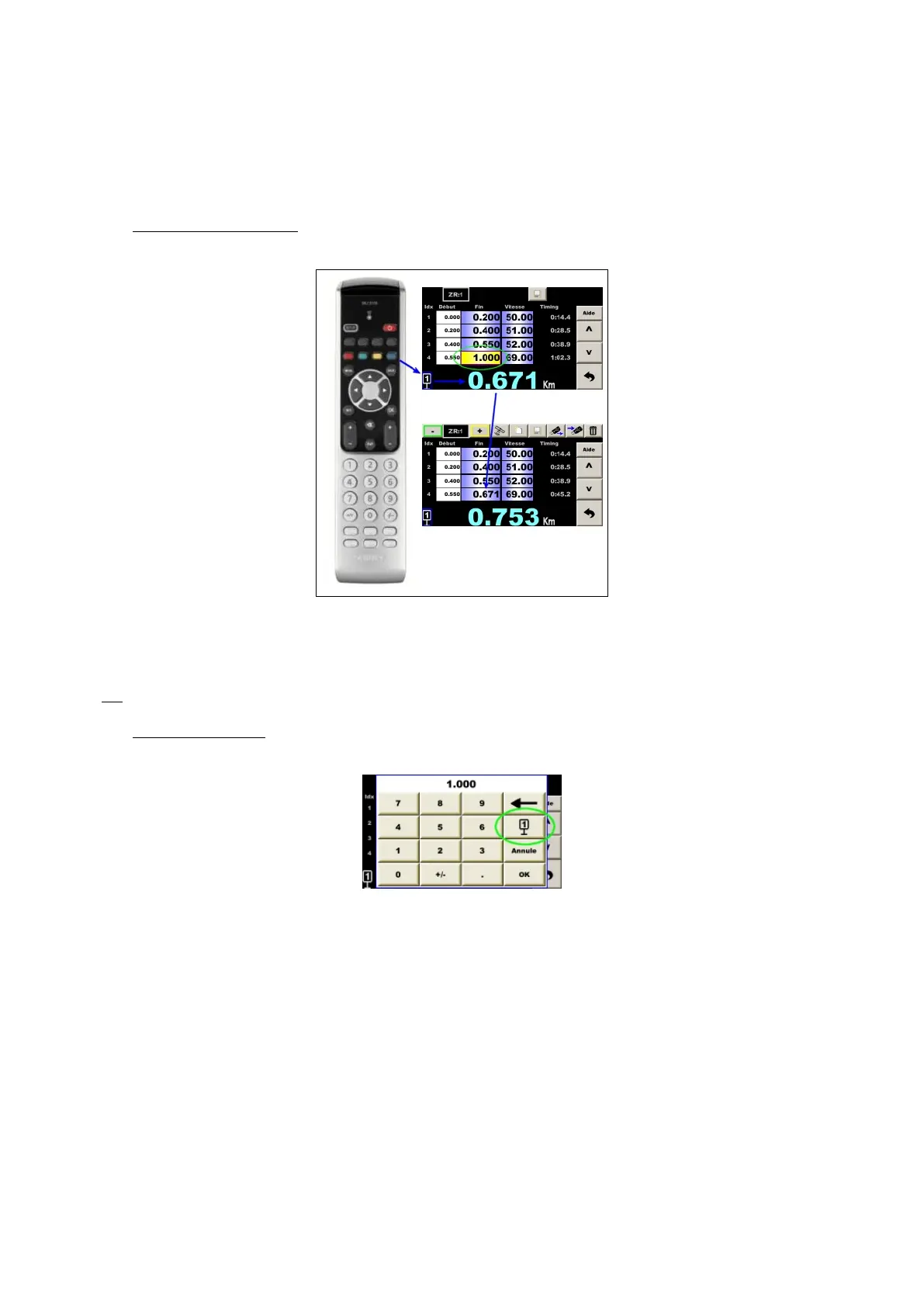
- with the IR remote control: place on the corresponding box at the end of the segment (a blue frame appears on
the pictogram of Trip1 in the bottom left), then press the blue key passing in front of the sign:
The timer saves the new distance and updates the lead / delay.
Maybe change the speed if it was written on the panel, but be careful, the new speed is on the next line!
Save this speed change (red key on the remote control): the timer recalculates the timing and updates lead /
delay with new speed, then return to the main screen.
Tip
: you can access this page directly from the main page by the yellow key on the remote control.
- with the touch screen: tap on the box corresponding to the end of the segment, the virtual keyboard opens with
a special key with the pictogram of Trip1, then press this key passing in front of the panel:
If necessary, modify the speed if it was written on the panel, but be careful, the new speed is on the next line!
Save the modification (floppy button): the timer recalculates the timing and updates the lead / delay. Then return
to the main screen.


 To Next Page