RR400/420 User Manual - CRISARTECH
Firmware version 190122 - © CRISARTECH 2019 - Page 9 / 29
2 Basic principles
This timer uses a touch screen for the configuration, calibration, speed input ...
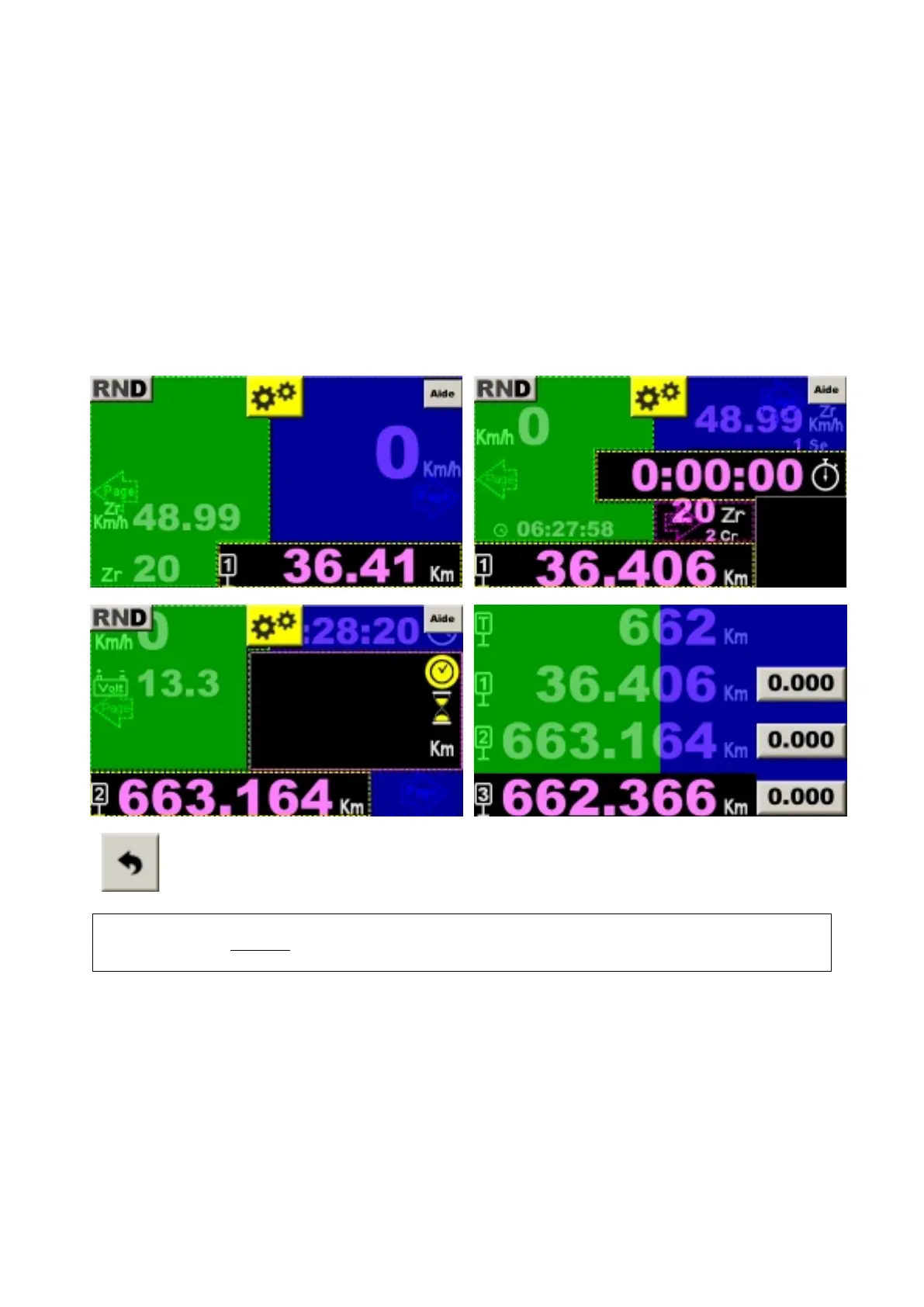
To modify an item, press the item zone. In "beginner" mode, the user is guided by a grid that indicates the different
sensitive zones:
- "chrono"
- "trip"
- 'ZR'
- "correction cancellation"...
The page change is made by pressing outside these areas, next page on the right and previous on the left, in
blue and green respectively on the following images:
buttons allow you to go back, exit the configuration pages...
Warning: if a parameter has been modified, the modification is saved!
Do not forget to use the help buttons when in doubt (except expert mode):


 To Next Page