Spinna Winna Operators Manual Part No. 990xxx Issue 1
Page 23 of 31
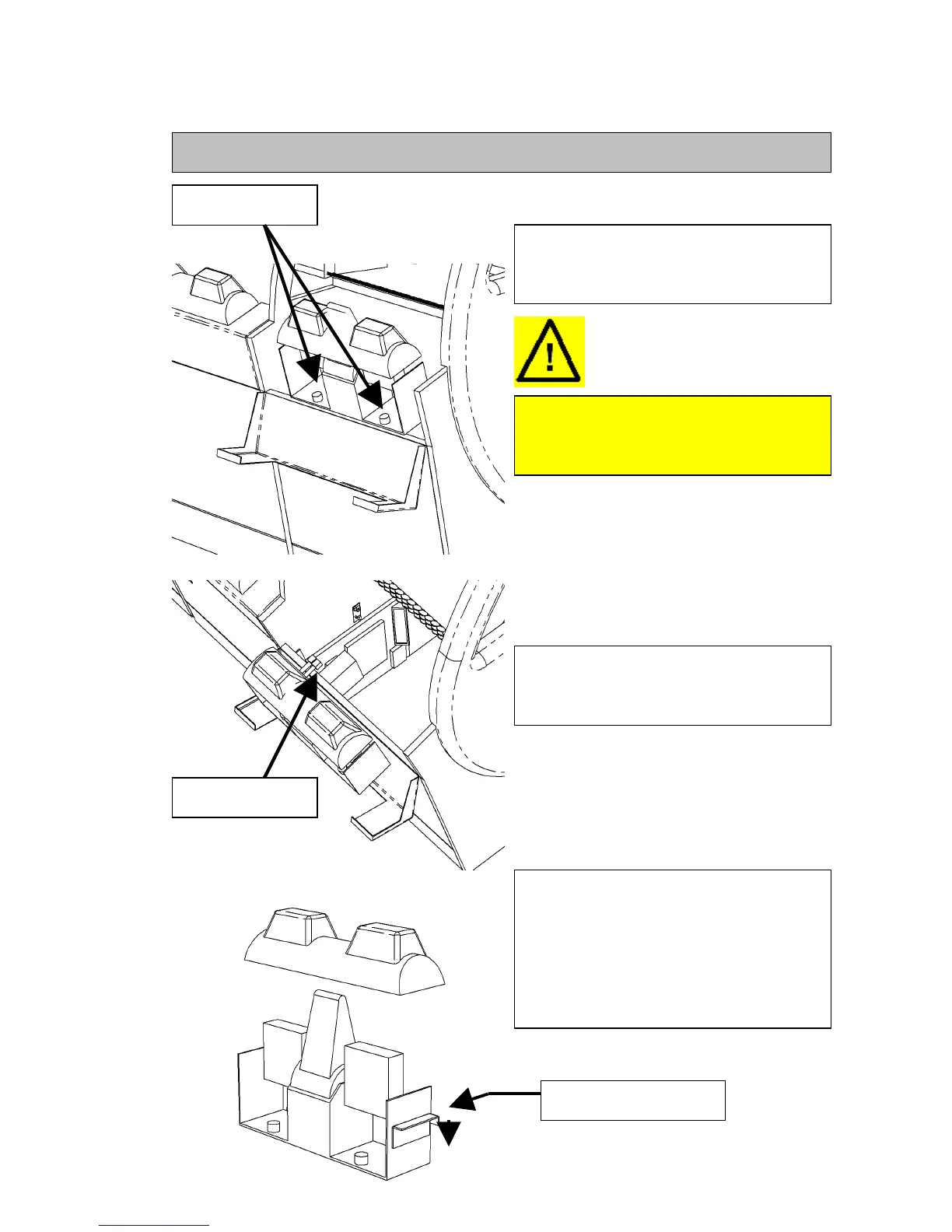
5.9 Removing and accessing the MK4 and MK5 CDS unit
Open the hinged CDS door and remove
the two securing screws holding the CDS
unit in place.
To prevent damage or injury take care to
support the CDS from falling when
removing the securing screws.
Release the two cable connectors from
the CDS unit and slide the unit out of the
cradle clear of the machine.
To gain access to the coin validators or
chutes, remove the plastic cover by
releasing the catches on each side. Slide
the catches back and down. When re-
assembling make sure the catches are re-
engaged.
Securing Screws
Cable connectors
Press back and down



 To Next Page