VII. Maintenance and Calibration
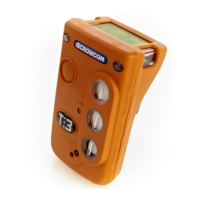
Tetra 3 is designed to operate almost maintenance free under most conditions.
However, some small items of routine maintenance are recommended.
General
To keep the display panel and operator button free from dirt build up, regular-
ly wipe over your Tetra 3 unit with a damp cloth.
Zero and calibration
Tetra 3 is supplied with an auto zero function on start-up. This function can be
configured to operate automatically, on user confirmation (see quick start
guide), or can be disabled. This configuration can be set with the Crowcon
Portables PC software, see section VIII. Tetra 3 also has a zero function in the
menu. See section II, item 2.4.
Crowcon recommends, as a minimum, a monthly gas test to confirm sensor
operation. A test gas of known composition, needs to be applied, to verify sen-
sor response and alarm function.
Instrument calibration of all sensors should be performed at regular 6 monthly
intervals.
Calibration method
Tetra 3 calibration can either be performed using the Portables PC software or
by use of the Gas Test Accessory Kit. Using the Portables PC software allows cal-
ibration using either single gas mixtures, and calibrating each sensor in turn, or
using a multigas mixture for simultaneous calibration. The Gas Test Accessory
Kit allows calibration on a quad gas mixture for the standard 4 gas combina-
tions of flammable, oxygen, carbon monoxide and hydrogen sulphide.
20
Maintenance and Calibration Tetra 3
Before opening the instrument case to change any internal components, it is essential
to take precautions to ensure ESD protection


 To Next Page