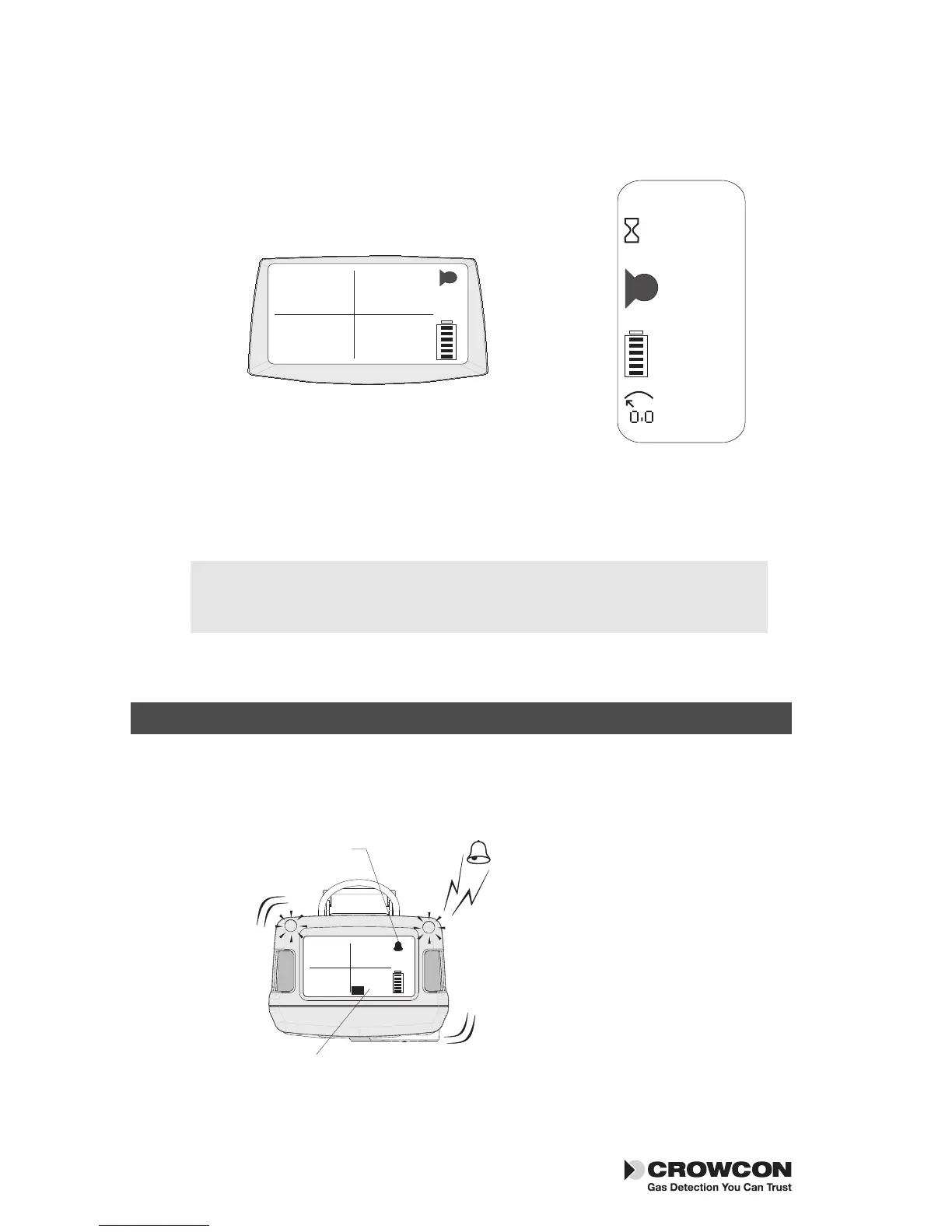
Run mode
Your unit is now ready to use.
Below is a typical screen display showing the
unit in normal gas monitoring Run mode.
Familiarise yourself with the gases being
monitored in your unit and make sure you
understand site health and safety procedures
in the event of alarm conditions.
2. In the event of an alarm
Alarm signals
In the event of gas concentrations exceeding the alarm thresholds for any gas
being monitored, Tetra 3 will activate the alarm signals.
Alarm signals
The red and blue
alarm LEDs will flash,
the sounder will emit
a loud, fast series of
beeps, the internal
vibrator alarm will
activate. The operator
screen will display the
gas in alarm and the
alarm level. See the
figure to the left.
4
In the event of an alarm Tetra 3
Confidence signals
In normal Run mode, Tetra 3 will emit a short beep every 10 seconds and
the OK icon flashes to show operational health.


 To Next Page