102
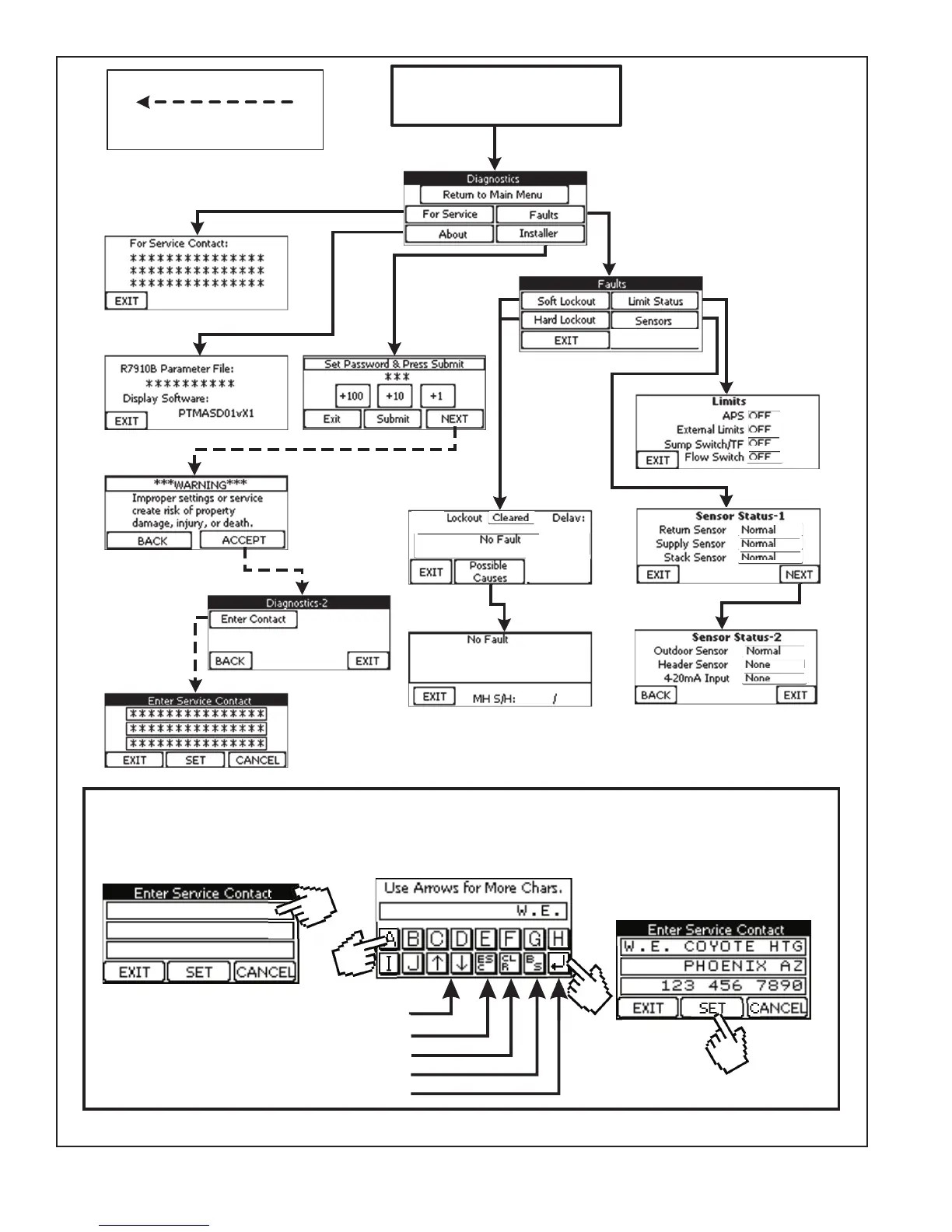
FIGURE 12.7: DIAGNOSTIC MENU (SEE PART D AND SECTION XIV FOR ADDITIONAL INFORMATION)
CopyServiceContactInstructions(with
Wiley)fromexistingIOM
FromMainMenu
(Figure12.0)
PasswordRequired
00
0
0s
Temporarily Save Field and Exit
Back space
Exit Screen without Saving
Clea r Entire Field
From Main Menu
(Figure 12.0)
1) Touch field to be changed
2) Screen below will appear. Use
appropriate keys to enter first line.
How to Enter Service Contact Info.
1
Use UP and DOWN Arrows for More
2a
2b
3) Press SET to permanently
save all three fields
3





 To Next Page