137
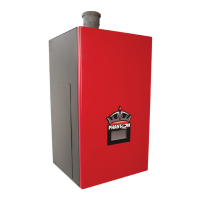
AllPhantomboilersarefactoryconguredforuseonNaturalgasataltitudesbelow2000feet.Performthestepslistedinthese
instructions if either, or both, of the following are true:
• BoileristobeusedwithLPgas
• Boileristobeinstalledatanaltitudeabove2000ft.
Follow steps 1-13 below in the order they are presented. Steps applying to only one type of conversion (LP or altitude) may
be skipped if that type of conversion is not being performed.
1) If not already done, install the boiler in accordance with this manual, following all instructions in Part XI (Start-up and
Check-out) up to Step 10.
2) LP CONVERSIONS ONLY – Set the throttle to its preliminary setting for LP. To do this:
a. Turn the throttle (Figure A.1) clockwise until it stops (several full turns).
b. Turn throttle counter-clockwise the exact number of turns shown in Table A.2.
3) ALTITUDE CONVERSIONS ONLY – Control system must be set to permit operation at higher fan speeds than those used
at sea level. This is changed in the ALTITUDE MENU (Figure A.3). To change altitude setting in control:
a. From the home screen, press MENU
b. From the main menu, press CONFIGURE
c. When prompted for a password. Use the “+1” button to raise the password to 5, then press SUBMIT. If you
accidentally raise the password above 5, press EXIT to return to the main menu and start over.
d. Oncethepasswordisaccepted,reviewtheWARNINGscreenandpressACCEPTtoreachthecongurationmenu.
e. Atthecongurationmenu,pressADVANCEDtoreachtheadvancedcongurationmenu.
f. Press ALTITUDE. Review the WARNING screen that follows, and press ACCEPT to reach the altitude screen.
g. Press the altitude shown to advance to the appropriate altitude (Figure A.3). Four altitude ranges can be selected:
• 0-2000ft(Default)
• 2001-4500ft
• 4501-7800ft
• 7801-10200ft
Where the installation altitude is very close to one of these breakpoints, use the lower range.
h. PressSETtoselecttheappropriateconguration.ControlhasacceptedthischangewhenSETandthealtitudestops
ashing.
i. Return to the HOME screen and verify that the appropriate altitude range (in kft) is shown in the lower right corner
of the screen (Fig A.3)
4) AttempttostarttheboilerusingthelightinginstructionslocatedonPage90.Iftheboilerdoesnotlightonthersttry
for ignition, allow to boiler to make at least four more attempts to light. If boiler still does not light, turn the throttle
counterclockwise in 1/8 turn increments, allowing the boiler to make at least four tries for ignition at each setting, until the
boiler lights.
5) Aftertheburnerlights,forcetheburnertohighrebyenteringtheSettingsMenu,andselectingManualInput,thenHigh
Fire Hold as described in Part XI (start-up and checkout). Allow the boiler to operate for approximately 5 minutes before
takingcombustionreadings.Note:thatafter12minutes,45secondstheboilerisautomaticallyreleasedfromhighrehold.
The boiler will also be released from manual input if the user manually navigates back to the home screen.
6) Performacombustiontest,samplingueproductsfromthetapinthefrontoftheventadaptor.
7) WhiletheburnerisathighreadjustthethrottleasneededtoobtaintheCO2settingsshownintheTableA.4:
• ToreducetheCO2(increasetheO2)turnthethrottleclockwise
• ToincreasetheCO2(reducetheO2)turnthethrottlecounter-clockwise
Make adjustments in increments of 1/8 to 1/4 turn and allow the boiler at least a minute to respond to each adjustment before
making another. In general, the CO level will be at its lowest somewhere in the CO2 range shown in this table. Consult




 To Next Page