CSI-1 Instruction Manual12
Automatic Closing
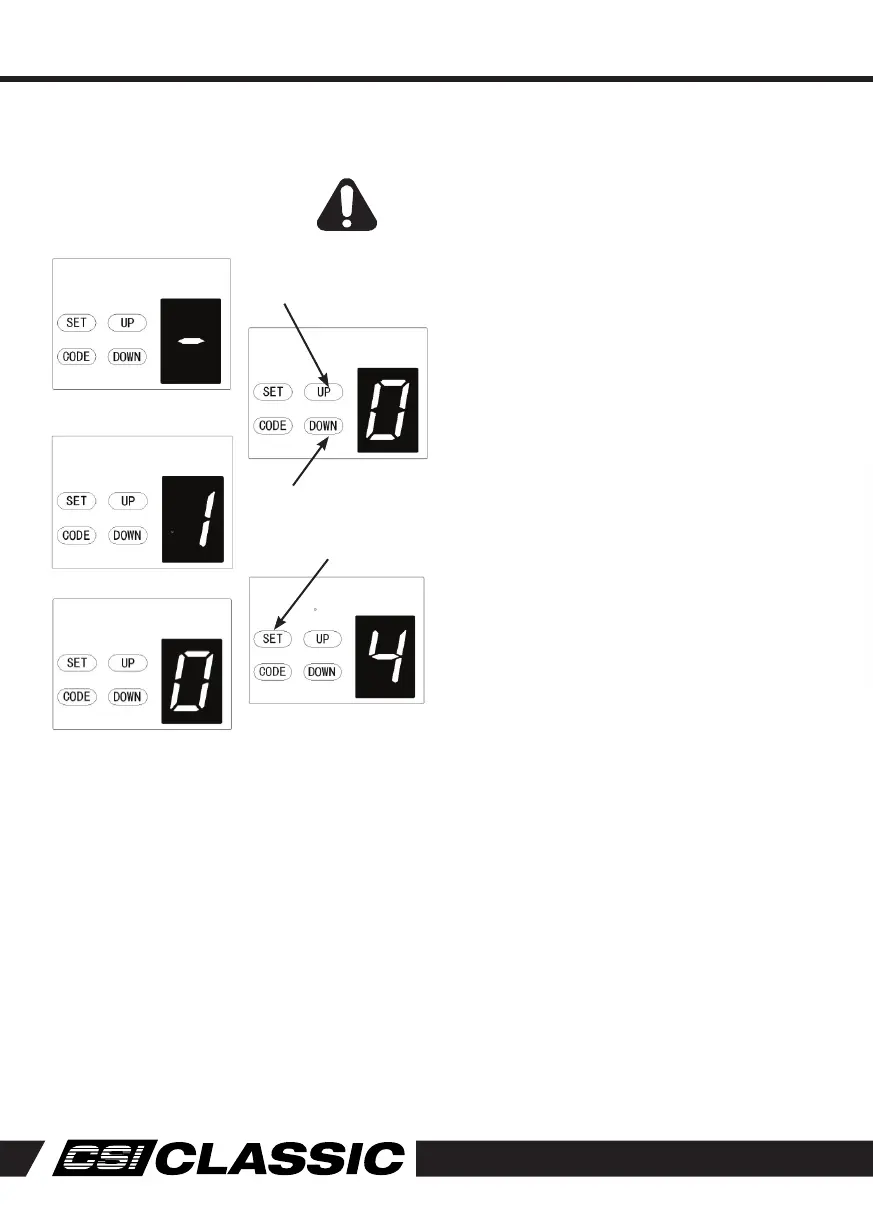
1. Press and hold UP button until a horizontal
bar is indicated on the display. Now press
UP button once to set the auto close time
(in minutes).
2. Press UP button to increase the time, or
DOWN button to decrease the time.
The maximum time is 135 seconds. To disable
Auto Close, set tume to zero (0).
3. Press SET button to confirm the set.
WARNING! It is compulsory to have Safety Beams
installed when using Auto-Close mode.
Increase A/C time
Decrease A/C time
Auto Close enabled
Auto Close disabled
Programming Instructions



 To Next Page