13CSI-1 Instruction Manual
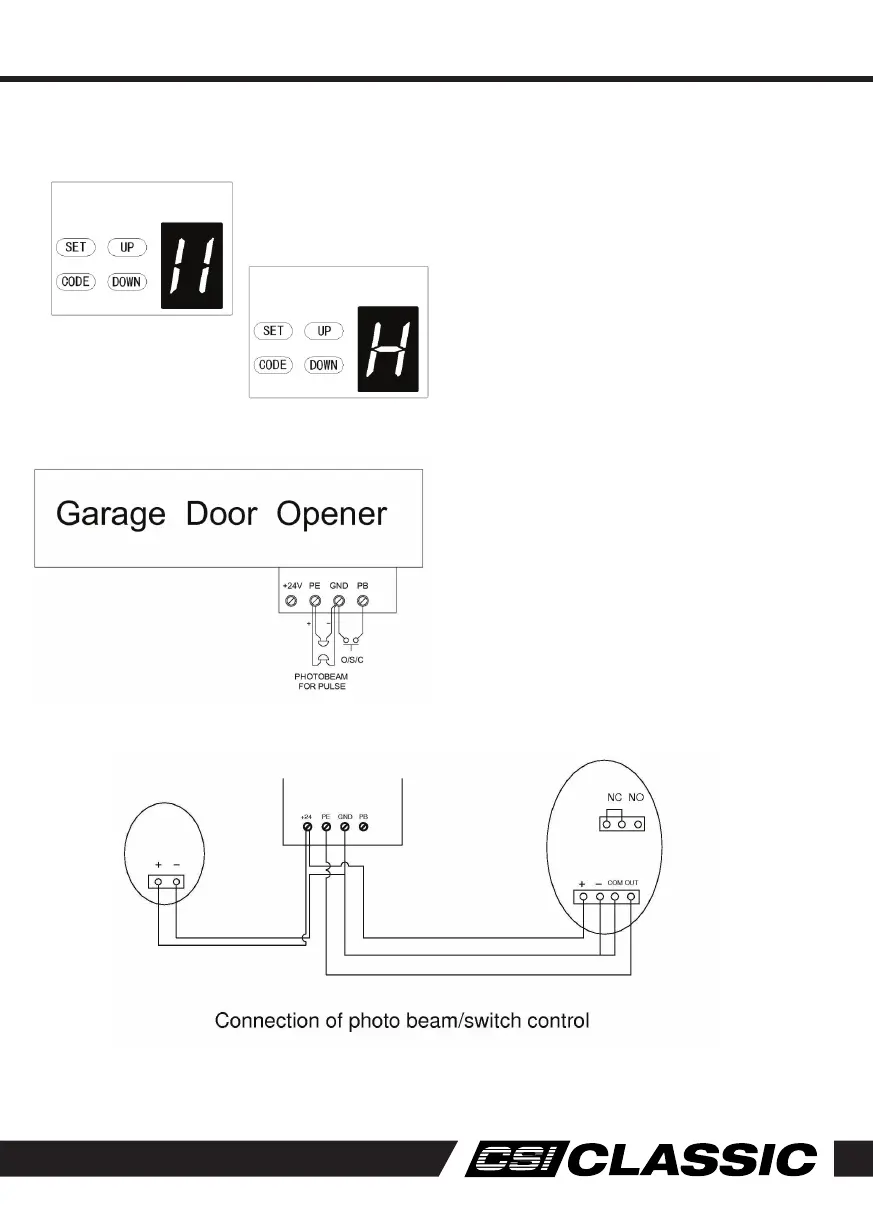
Programming
NOTE: Make sure the photo beam has been
correctly installed and use Normally Closed
contacts to the accessory terminals of the
opener
1. Press and hold the DOWN button until 11
appears on the display. To enable the photo
beam option press UP again, the display
will indicate a H (enabled) or press DOWN
button to disable (display 11) the option.
2. Press SET to confirm the set.
Photo Beam connection
1. Flash (Caution Light) should be less than
25W.
2. PB (External Push Button) should be “No”.
Photo Electric Safety Beams
Photo Beam disabled
Photo Beam enabled
Programming Instructions



 To Next Page