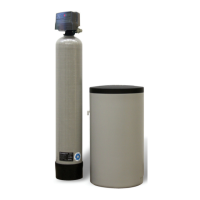
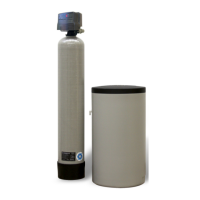
SIGNATURE 2 SERIES
Master Programming Mode
Master Programming Mode
To enter Master Programming Mode, press and hold both buttons for 5 seconds.
Note: All Master Programming functions have been preset at the factory. Unless a change is desired, it is NOT
necessary to enter Master Programming Mode.
1. Regeneration Time ( r ) Example ( r 12A )
- The time of day at which backwash may take place is designated by the letter “r”.
- Default regeneration time settings is 12a
- The first display digit indicates A.M. or P.M. To change the value, press the Set/Change button.
- Press Menu/Enter button to accept the value and move to the next digit.
- The second and third display digits indicate the hour at which the backwash will occur.
- Change the digits with the Set/Change button and accept with the Menu/Enter button.
- After the entire display flashes, press the Menu/Enter button to move to the next menu item.
2. Regeneration Cycle Step Times (Steps 1, 2, 3)
Example ( 3 - 10)
- The next 4 displays set the duration of time in minutes for each backwash cycle step.
- The step number which is currently modifiable is indicated on the far left of the display screen.
- The number of minutes allotted for the selected backwash step is displayed on the far right.
- Change the digit values using the Set/Change and Menu/Enter buttons as described above.
3. Bluetooth Enabled BE - 1 (ON)
BE - 0 (OFF)
4. Bluetooth Password BBPP is displayed for one second, then password is displayed.
5. To Exit the Master Programming Mode, press the Menu/Enter button until time of day returns.
Note: If no buttons are pressed for 60 seconds, the Master Programming Mode will be exited automatically.
10


 To Next Page