9
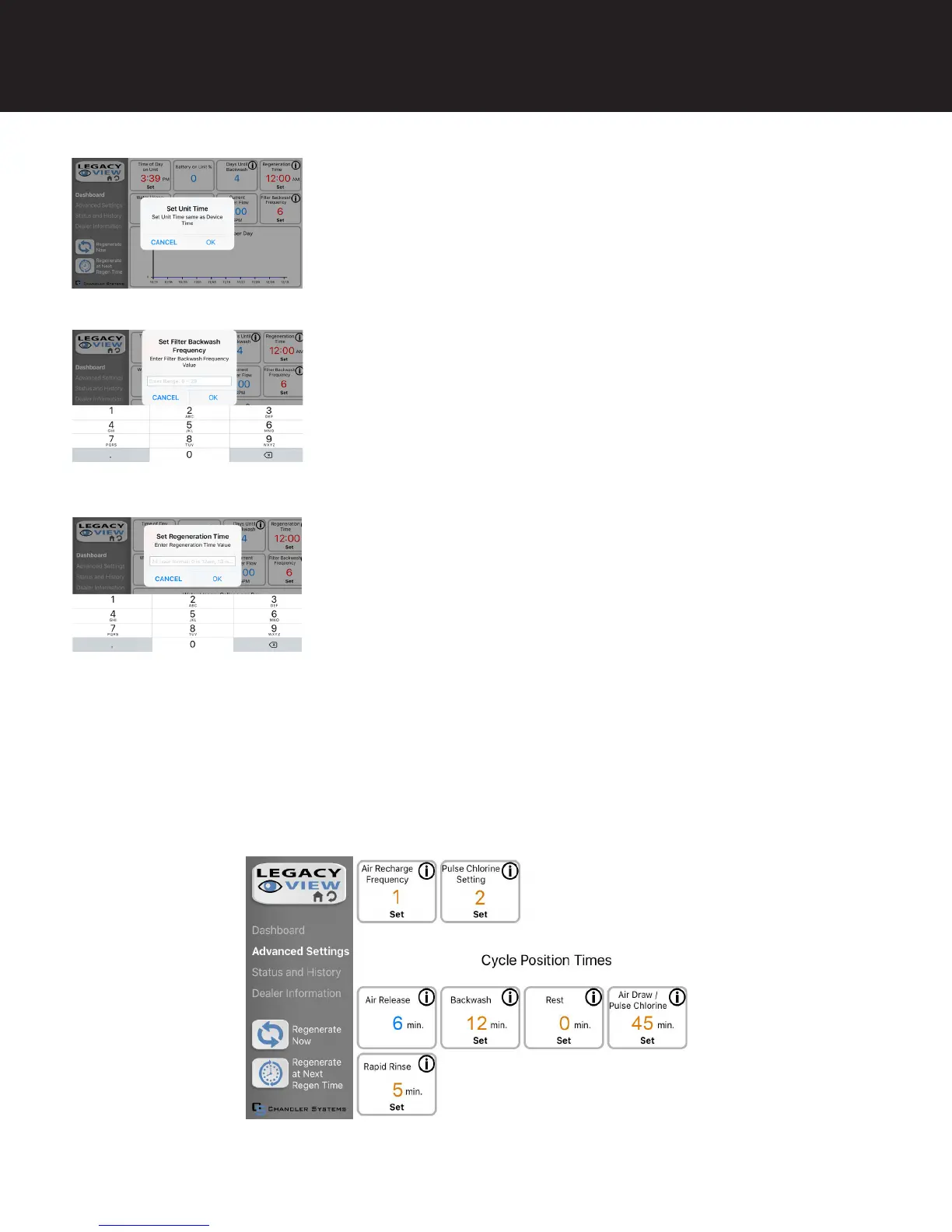
Set Up Utilizing Bluetooth App
1. Change Time of day (Press “set” to set time automatically based on device
time)
1. Set Backwash Frequency
1. Set Regeneration Time
Advanced Settings
NOTE: Consult your dealer before making any changes. We do not recommend changing Advanced Settings unless you
have a good understanding of the system operation.
From the Advanced Settings, all items in ORANGE with a “set” button can be changed.
This sets the amount of days between backwash cycles.
Example: For 2am, just type 2 and press OK.


 To Next Page