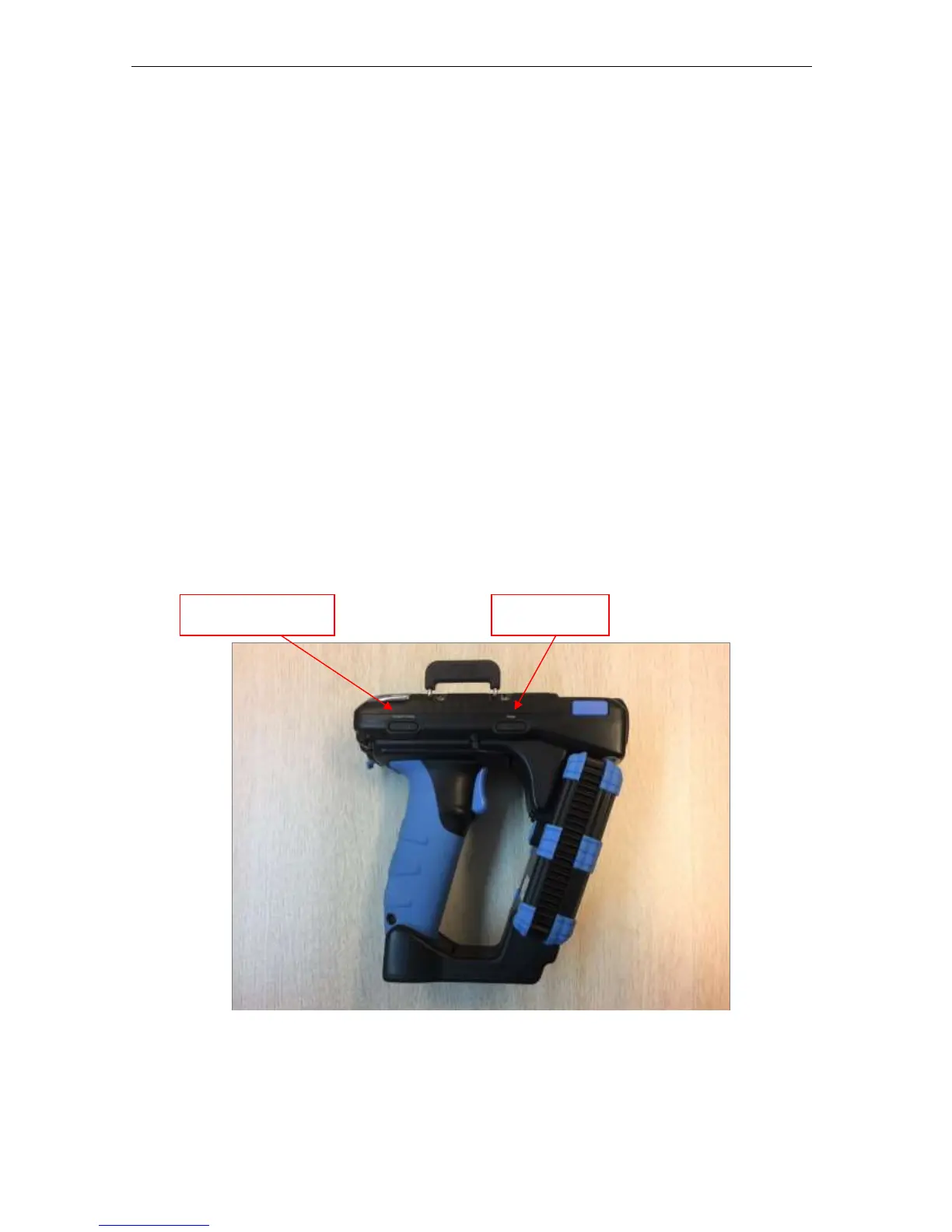
Below is a view of the right side of the CS108 reader. There are 2 combination button/LED
on this side.
The right button/LED is for the main power and the LED lights up GREEN meaning power is
on. Press the button continuously for 3 seconds, then release to power on (must release before
it powers on). To power off when the reader is on, press the button continuously for 3 seconds,
then release the button to power off.
The left button/LED is for the Bluetooth pairing, and the LED lights up BLUE meaning
Bluetooth is connected. When first powered up, the Bluetooth LED will automatically start
flashing indicating it is now discoverable by a smart device nearby. From the Application on
the smart device, one can then connect to the CS108. After connection, the LED will stop
blinking and remain lit.
At any time, to stop the Bluetooth connection, press the Bluetooth button continuously for 3
seconds until the LED turns off. To restart the Bluetooth and pair with a device, press the
button continuously until the Bluetooth LED starts flashing and reconnect via the application.
Figure 4-3 CS108 Reader Right Side View


 To Next Page